Product · Vangera Field
Crews, vehicles and jobs, planned on a computer and done on the phone
Vangera Field is for organizations whose crews work at their clients' places: pest control, cleaning, maintenance, installations. The office keeps clients, jobs and vehicles and plans the day on a dispatch board; the crew follows its run sheet on a phone, checks in on site, fills in the report and takes the client's signature.
From $100 per month · in testing: each organization is approved
What it does
From the client's call to the signed report
Clients and their places
Each client with its contact, reference code and places, each place pinned on our own map of Laos (no outside map service). Many at once from Excel, CSV or a KML file from Google My Maps.
The service catalog
The services your crews do, each with its standard time, the skills it needs, a checklist, the usual materials and a price.
Crews and vehicles
A crew is a team in LohnCC with its lead; Field adds its home base, area and usual vehicle. Vehicles keep their registration, insurance, inspection and road tax, with a reminder before one runs out, and drivers' licences from Vangera HR or kept in Field.
Jobs and the dispatch board
A job is a client's place and one or more services, urgent or not. The board shows the day: open jobs on the left, each crew from 07:00 to 19:00 on the right; drag a job onto a crew, or let the plan panel suggest one. Leave and shifts from Vangera HR show who isn't available.
The run sheet on the phone
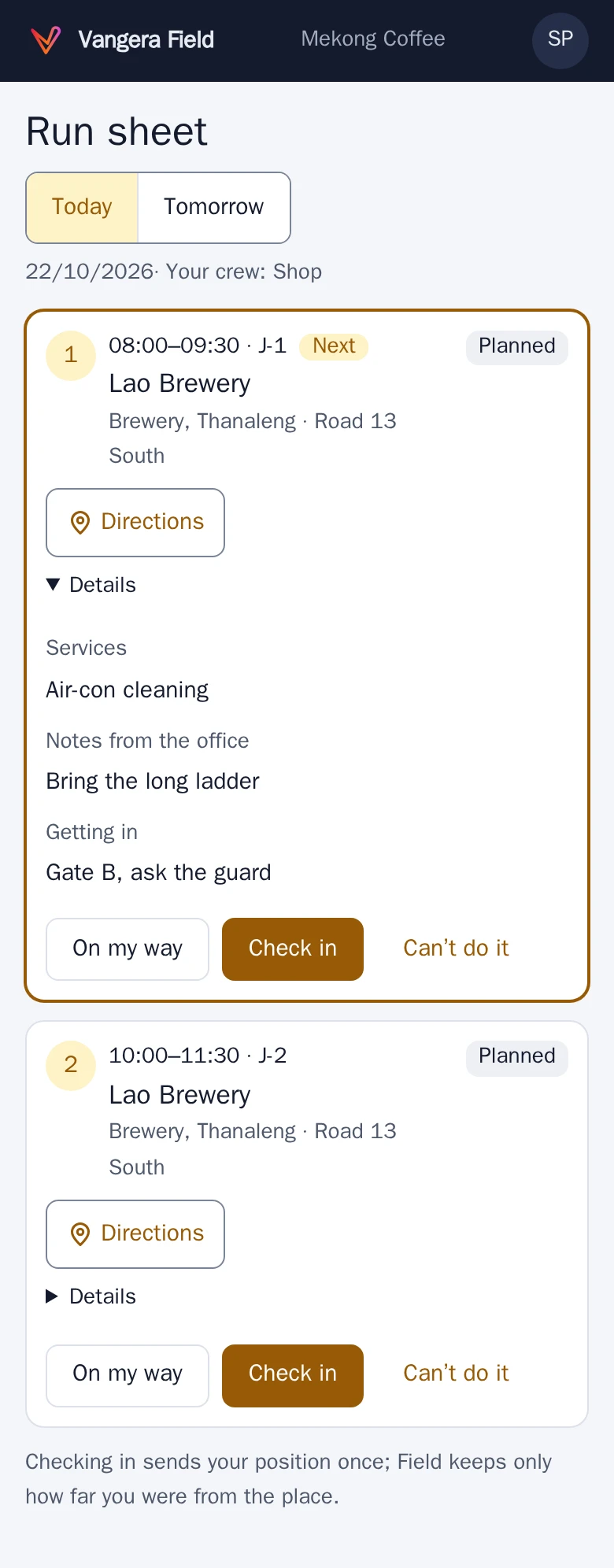
Today's stops in order with directions and the contact on site: on my way, check in (Field keeps only how far from the place you were, never your position), the checklist, materials, photos, the client's signature, done. A blocked job goes back to the office with the reason.
Works without coverage
In the countryside the steps wait on the phone and are sent when the network is back; the run sheet says which ones are still waiting.
The service report
What the crew recorded, as a page the client opens from a QR code or a private link, in Lao or English, to print or save as PDF: the services and prices, the checklist, materials, photos and the signature. The link works 90 days and can be withdrawn.
Notices in LohnCC
A job assigned, a job sent back, a vehicle document about to expire: the people concerned get a notice in LohnCC. Dispatchers, fleet managers and admins use two-step sign-in.
See it
Real screens, on a phone
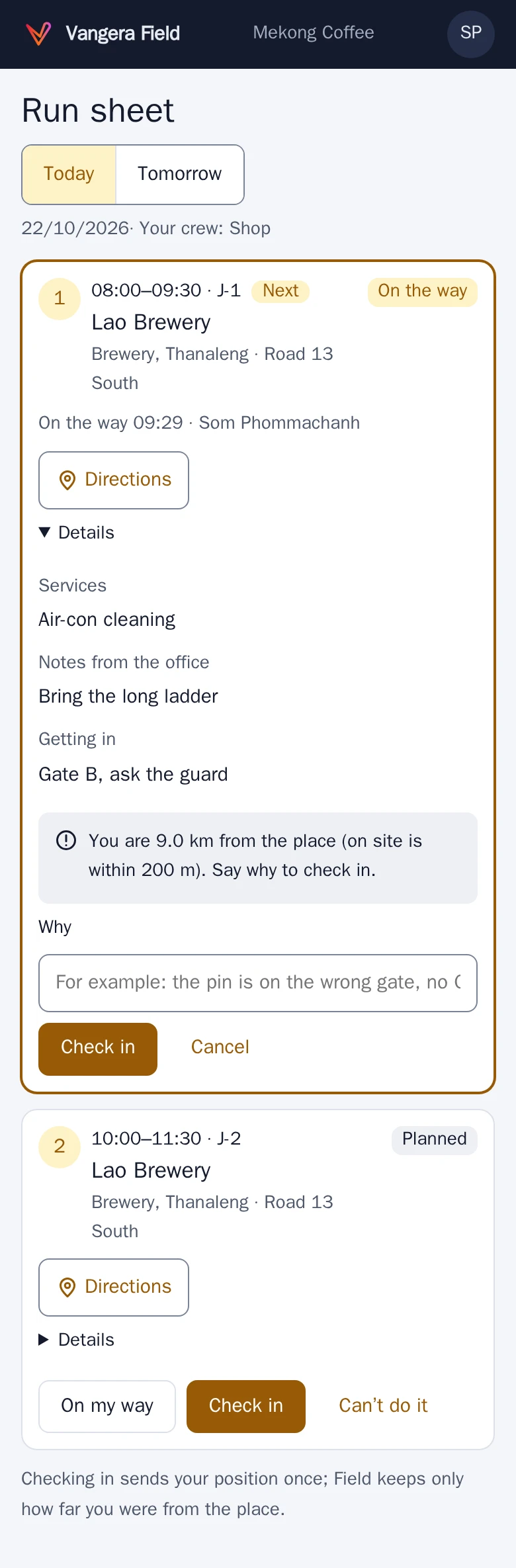
Check in on site: Field keeps only how far away you were, and asks why when it's farther than your organization allows. 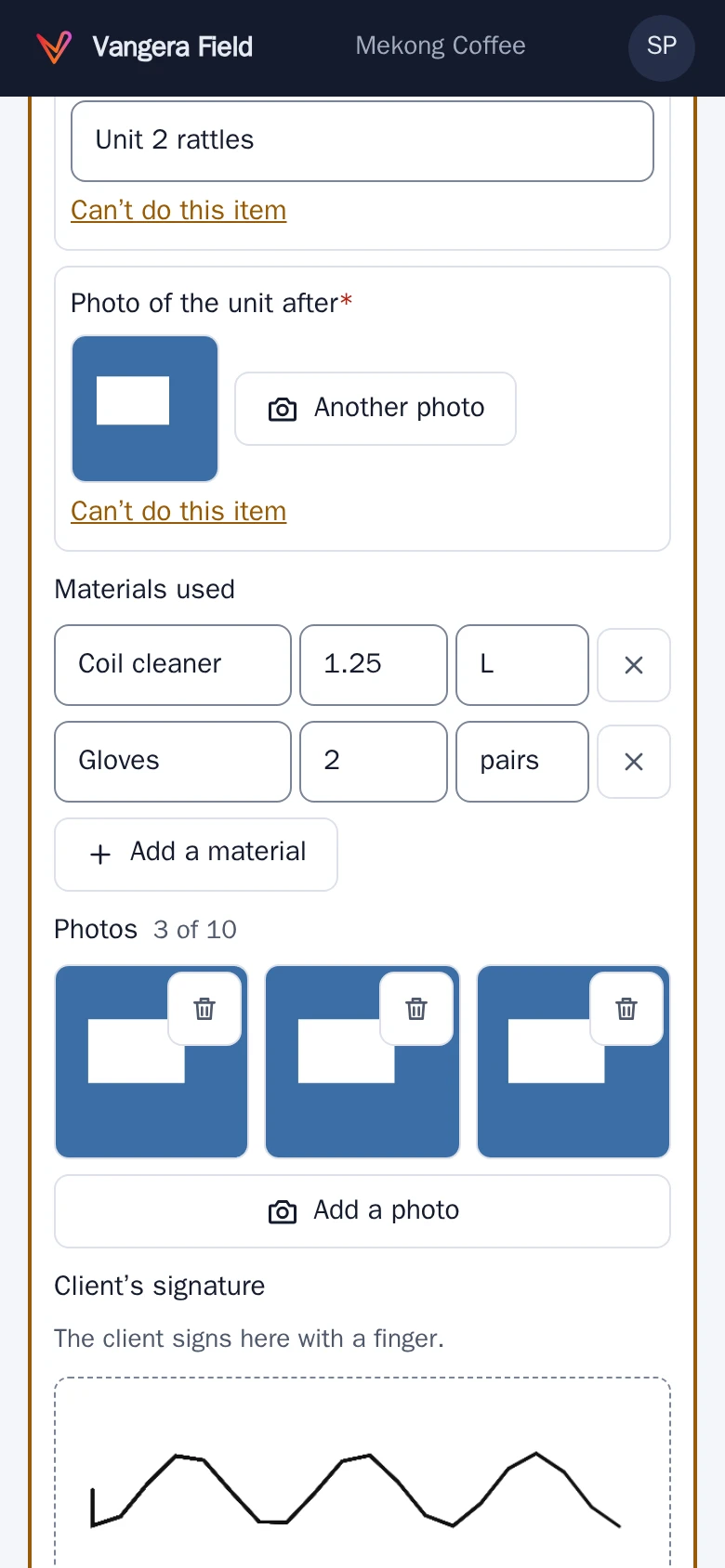
The client signs on the phone, with their name, when the work is done. 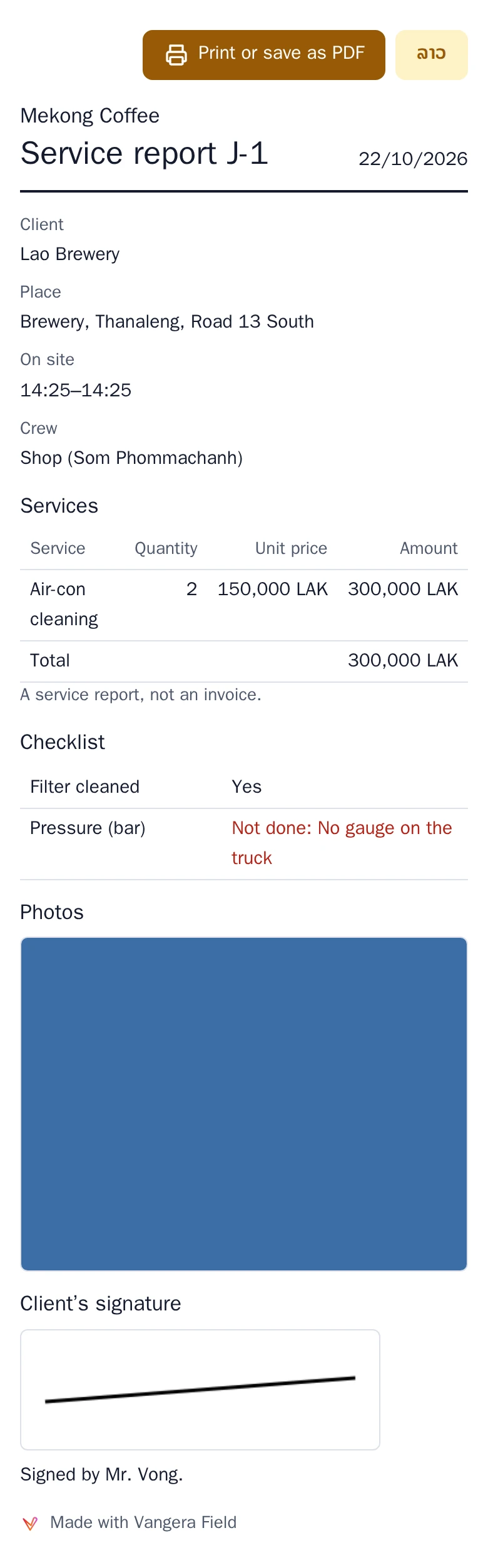
The service report the client opens from a QR code or a private link, in Lao or English, and saves as PDF. 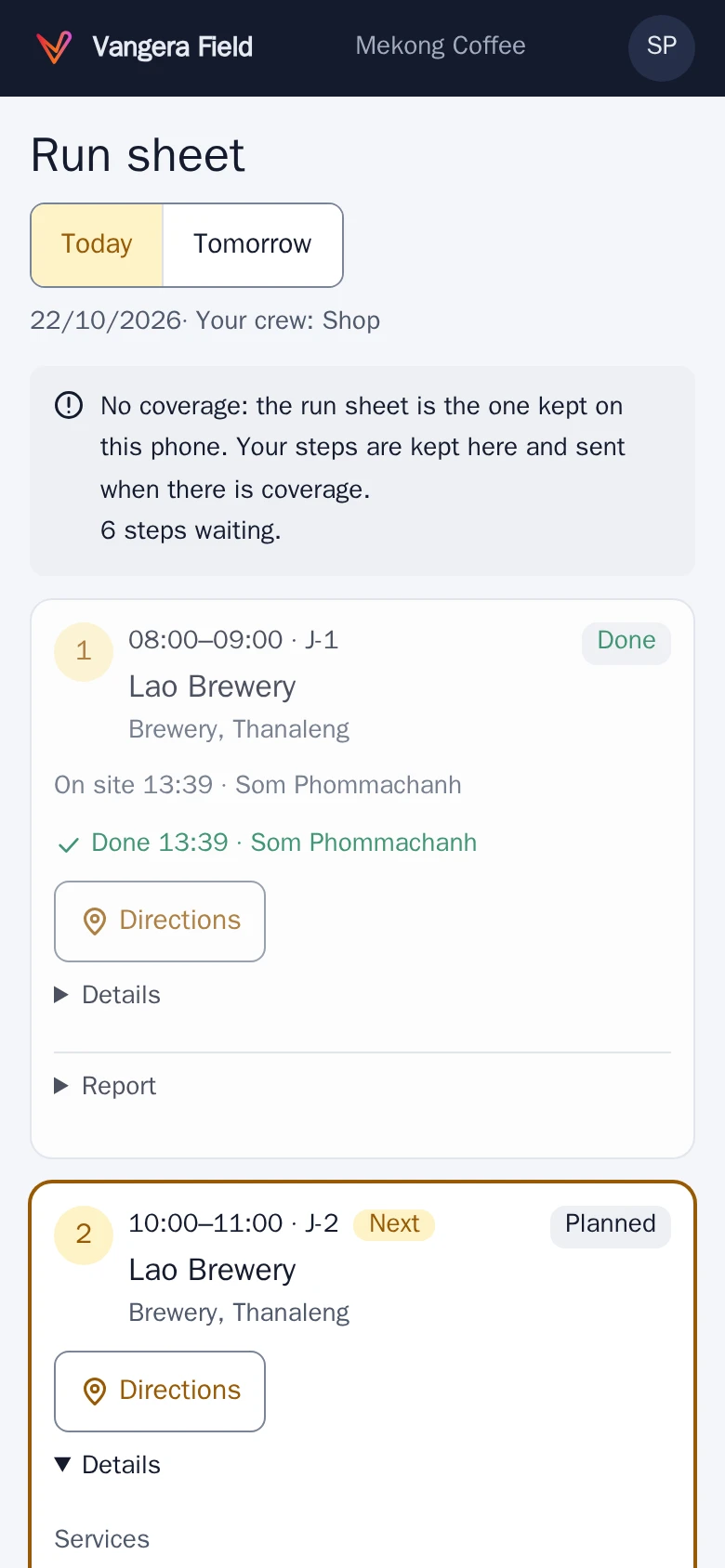
No coverage: the steps wait on the phone and are sent when the network is back.
Screenshots of the app with test data: the people and places in them are made up.
On a computer
The office's screens
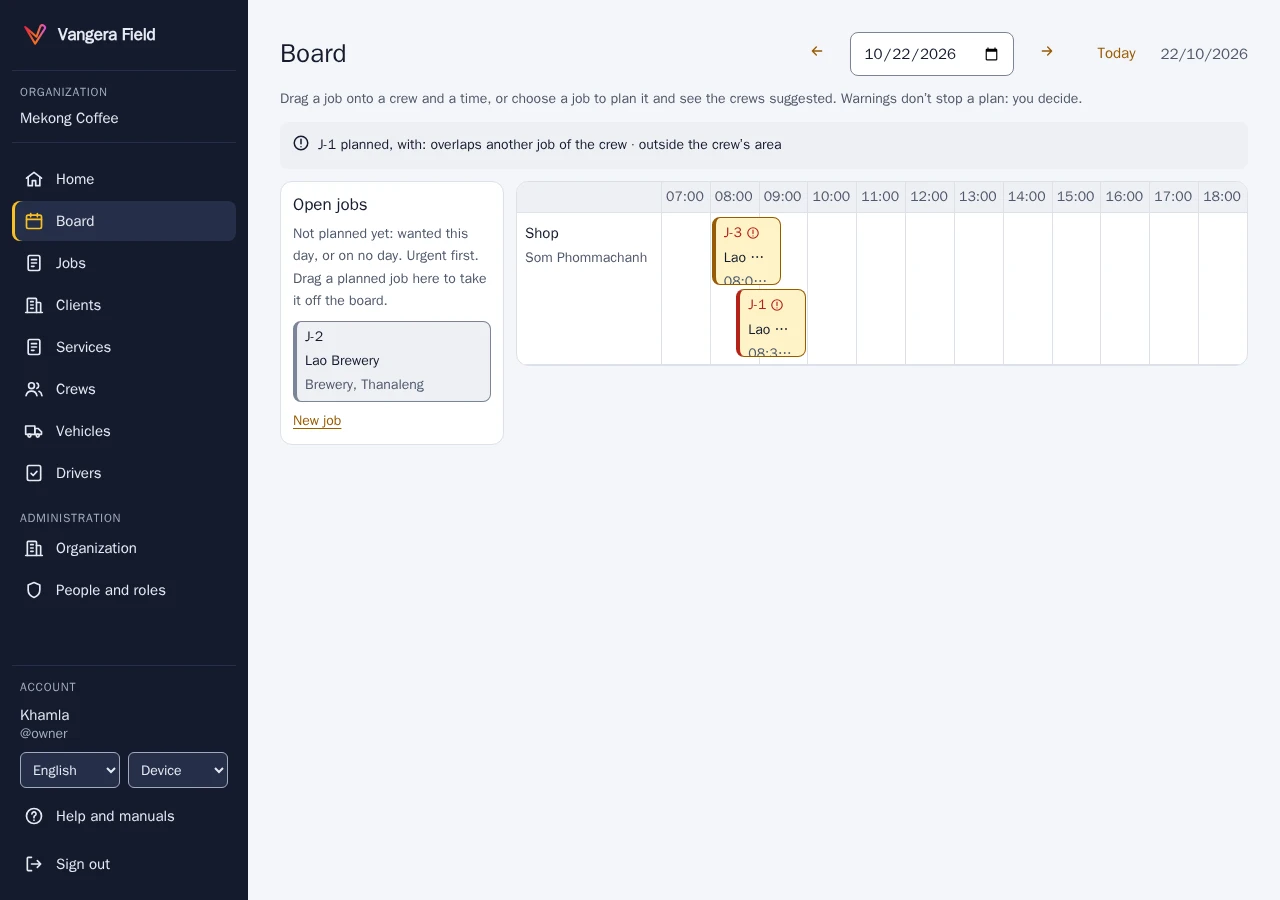
The board: open jobs on the left, each crew's day on the right; drag a job onto a crew. 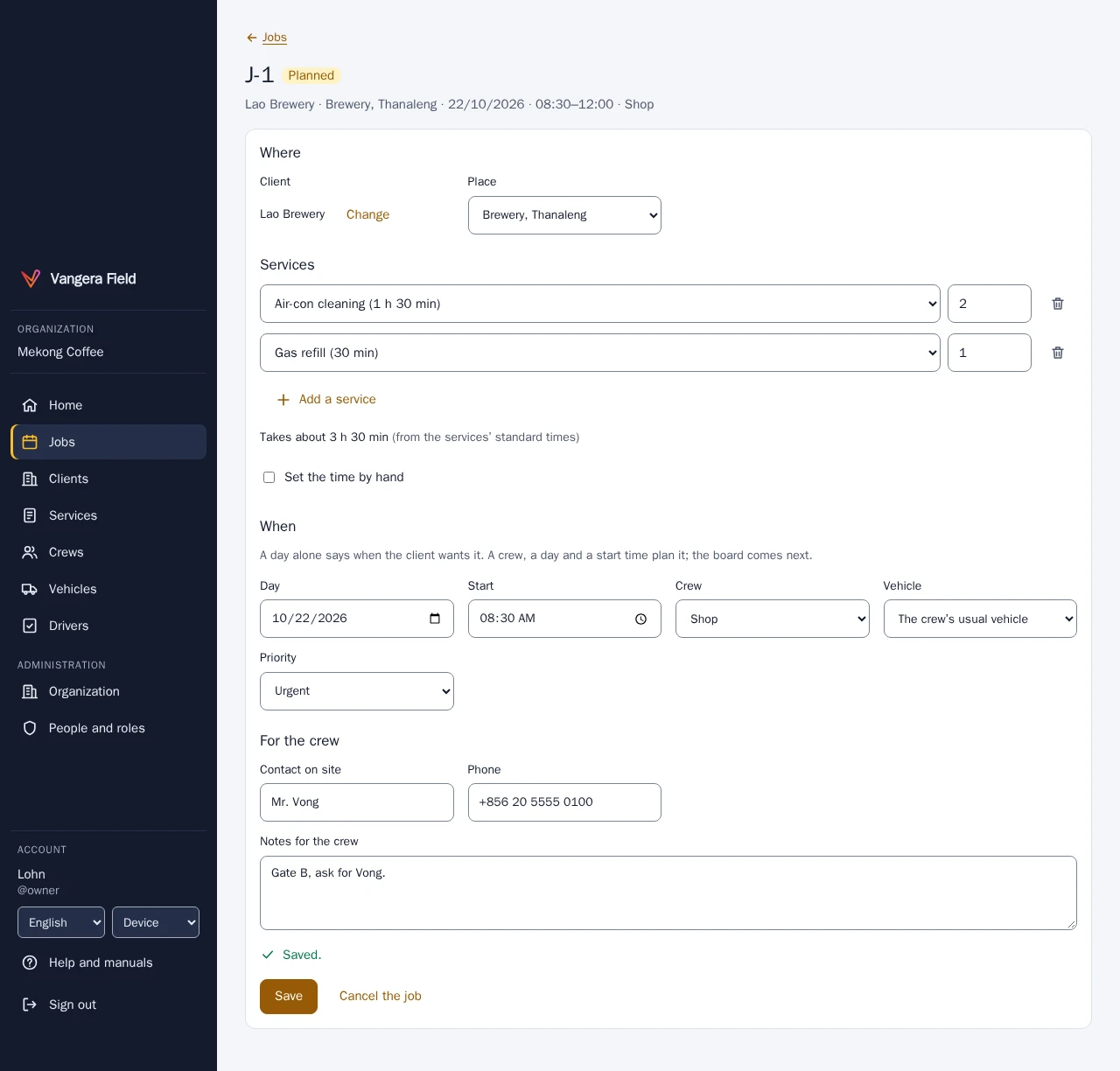
A job: the client's place, services from the catalog, the crew, the day and the start. 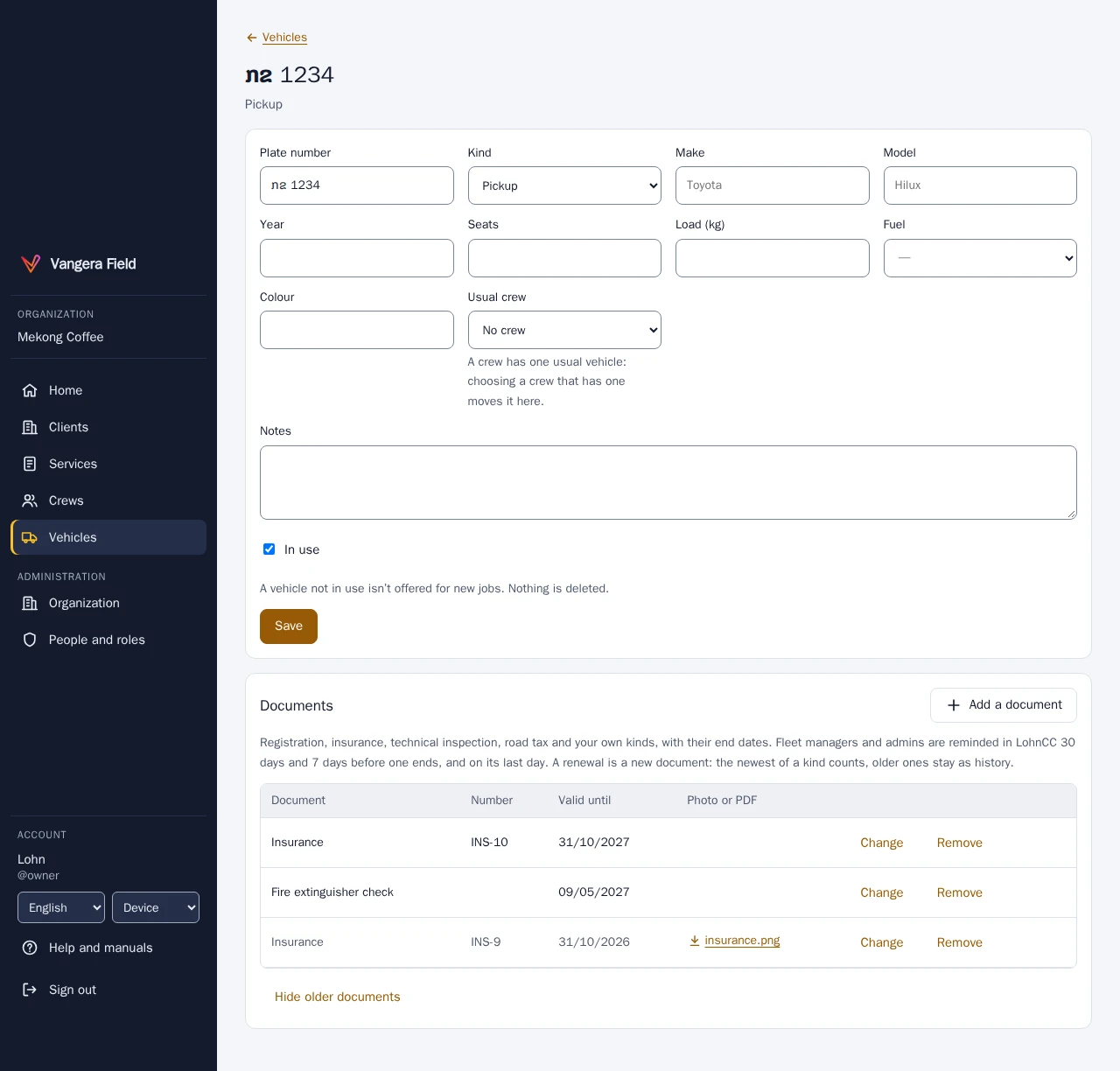
A vehicle's documents, with a reminder before one runs out. 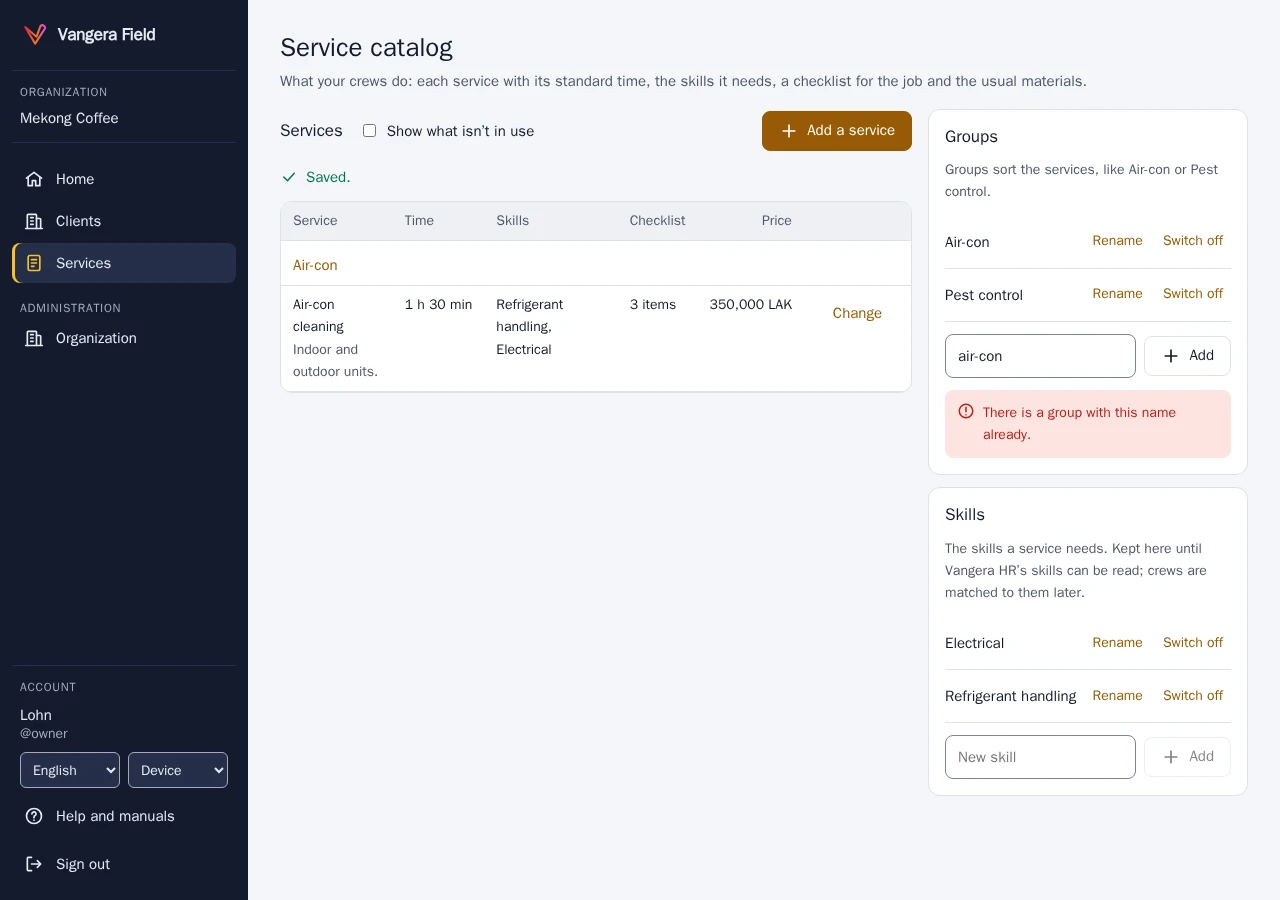
The service catalog: standard time, the skills needed, a checklist, materials and a price.
Screenshots of the app with test data: the people and places in them are made up.
Who it's for
Organizations whose crews work at clients' places
Vangera Field is for organizations whose work happens at the client’s place: pest control, cleaning, air-conditioning and maintenance, installations, deliveries with a service. The office works on a computer; the crews work on their phones, including low-end Android phones on slow connections.
It works with LohnCC: people sign in with their LohnCC account, a crew is one of your LohnCC teams, and notices arrive in LohnCC. When your organization also uses Vangera HR, Field reads leave, shifts, skills and drivers' licences from it. See LohnCC and Vangera HR.
What it doesn’t do yet: positions and a live map of crews on duty are built, but stay switched off for organizations until a legal check of location sharing in Laos is done. Route planning, recurring jobs, maintenance and fuel come later.
Vangera Field runs at field.vangera.systems. It is in testing: organizations ask for it, and Vangera Systems approves each one.
How to start
Getting started
Ask to join
Send the form below. Your organization needs to be on LohnCC first; if it isn't yet, say so and we start there.
Add it in LohnCC
Your organization's owner or an admin opens Apps on the organization's page and asks for Vangera Field. I approve each organization during the testing.
Set up clients, services and crews
Add your clients and their places (or import them), the services in your catalog, name your dispatchers and fleet managers, and make your LohnCC teams crews with their vehicles.
Crews sign in
Everyone signs in with their LohnCC account; Vangera Field has no passwords of its own. The office roles use two-step sign-in; crews don't need it.
Ask to join the beta
Vangera Field is free during the beta. Tell me about your organization and how many people would use it; I'll reply by email. Or write to info@vangera.systems.