Product · Vangera Flow
Approvals that follow your rules
Vangera Flow handles requests that need approval — a purchase, leave, an expense, a payment — for organizations on LohnCC. People make requests on a phone or a computer; each one goes to the right approvers, stage by stage, by your rules.
Free during the beta · organizations ask to join
What it does
From the request to the last signature
Your request forms
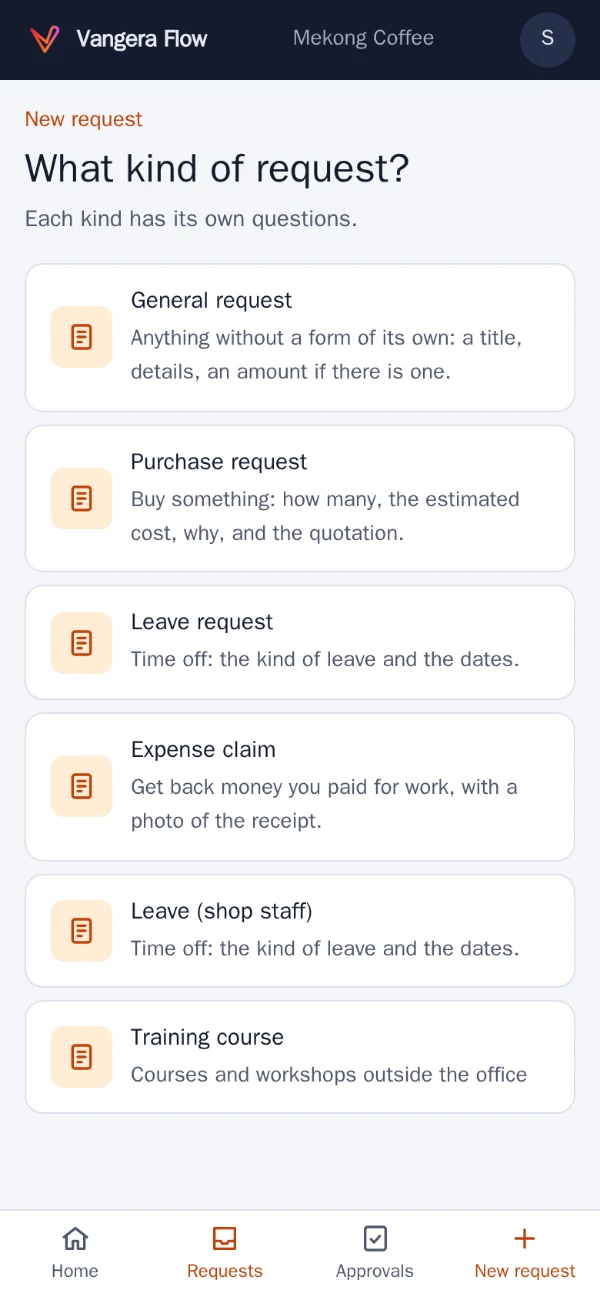
Ready-made forms (General, Purchase, Leave, Expense, Payment), or your own: up to 30 questions — text, numbers, amounts, dates, choice lists, yes or no — and attachments.
Routes with rules
Who approves, stage by stage: the requester's manager, up the manager chain, chosen people, an approval group, or the owner and admins — some stages only when a rule is met.
Approval groups and limits
Groups such as Finance or IT, and how much each person may approve, per currency. Up the manager chain, it goes on until someone's limit covers the amount.
Every way to decide
Approve, don't approve, ask for information, hand it to someone else, or ask someone else first. Approvers get a card in LohnCC.
Confirm on the phone
From the amounts you set, approving is confirmed on the approver's phone with LohnCC: pick the number shown, then a fingerprint or face.
Away and time limits
Someone else decides while you're away. Stages can have a time limit in working days, with reminders; when time is up, the manager can decide too.
See it
Real screens, on a phone
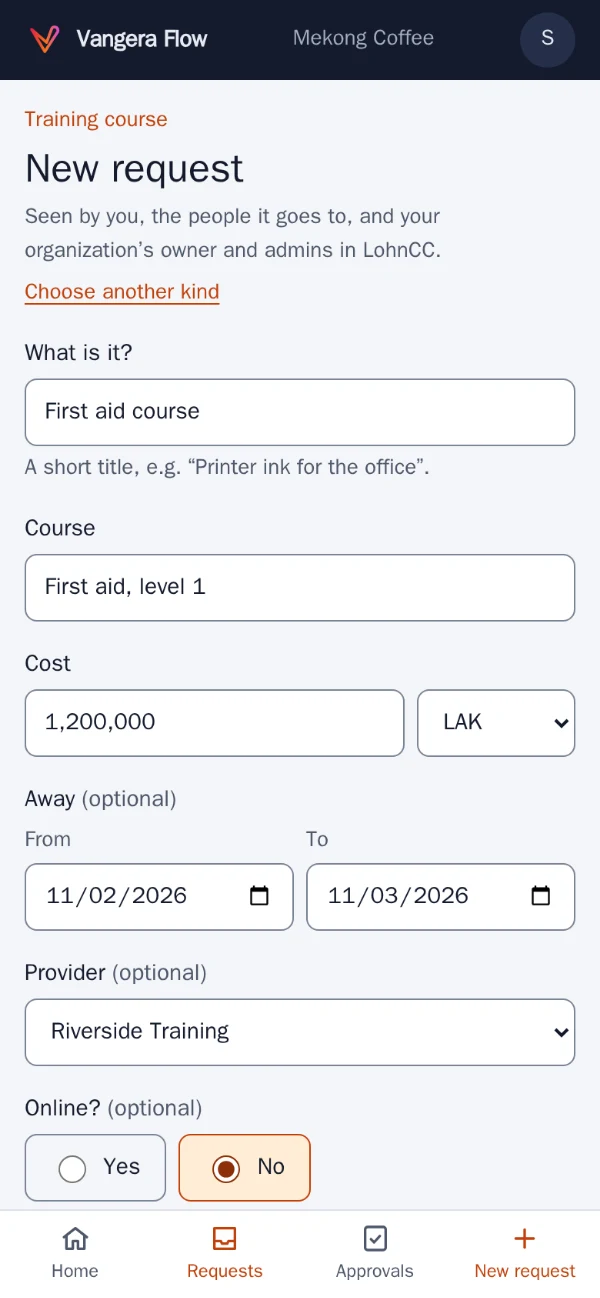
A request: the form's questions, with an amount and dates. 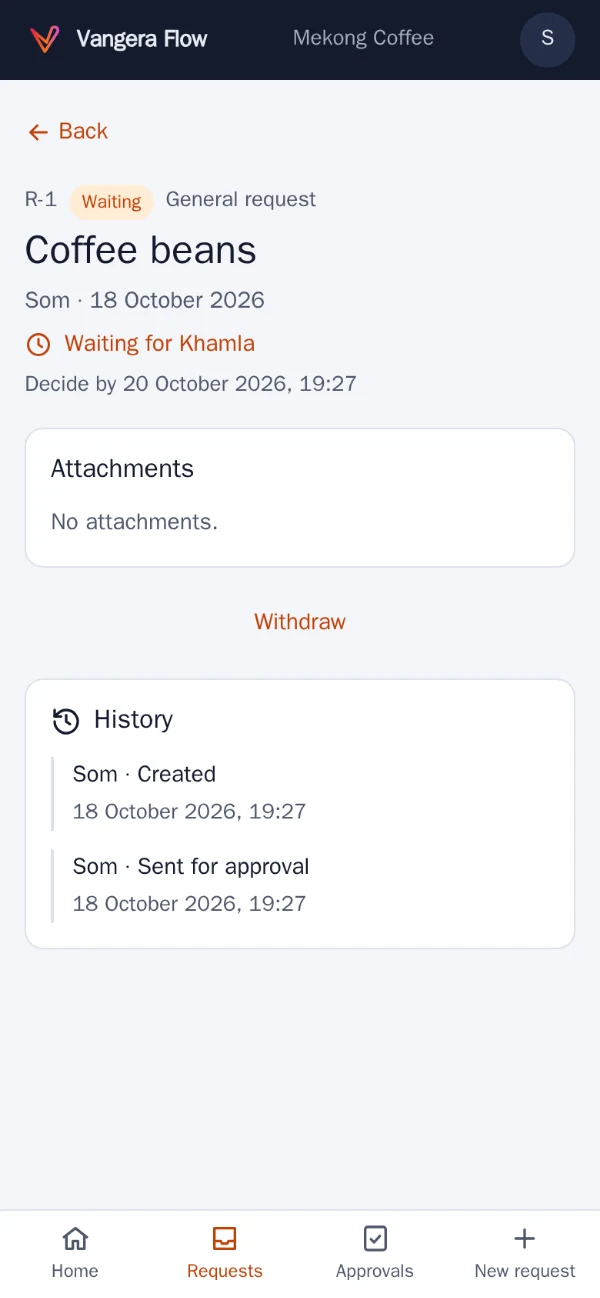
Following a request: who it waits for, and by when. 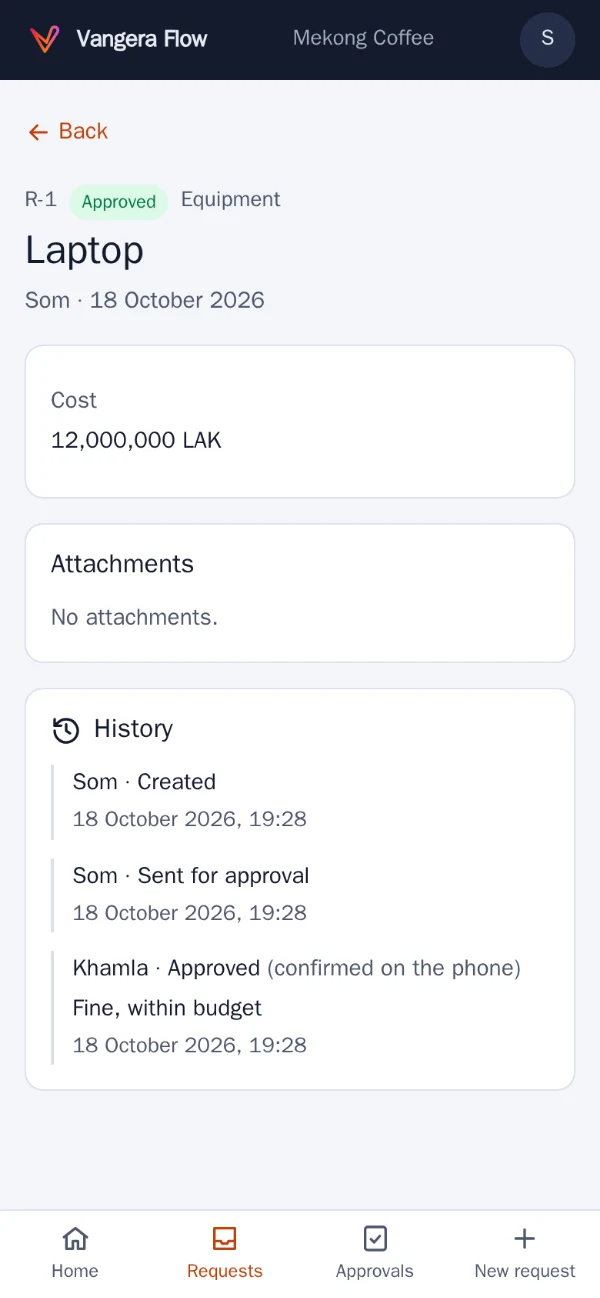
Approved, and confirmed on the approver's phone in LohnCC. 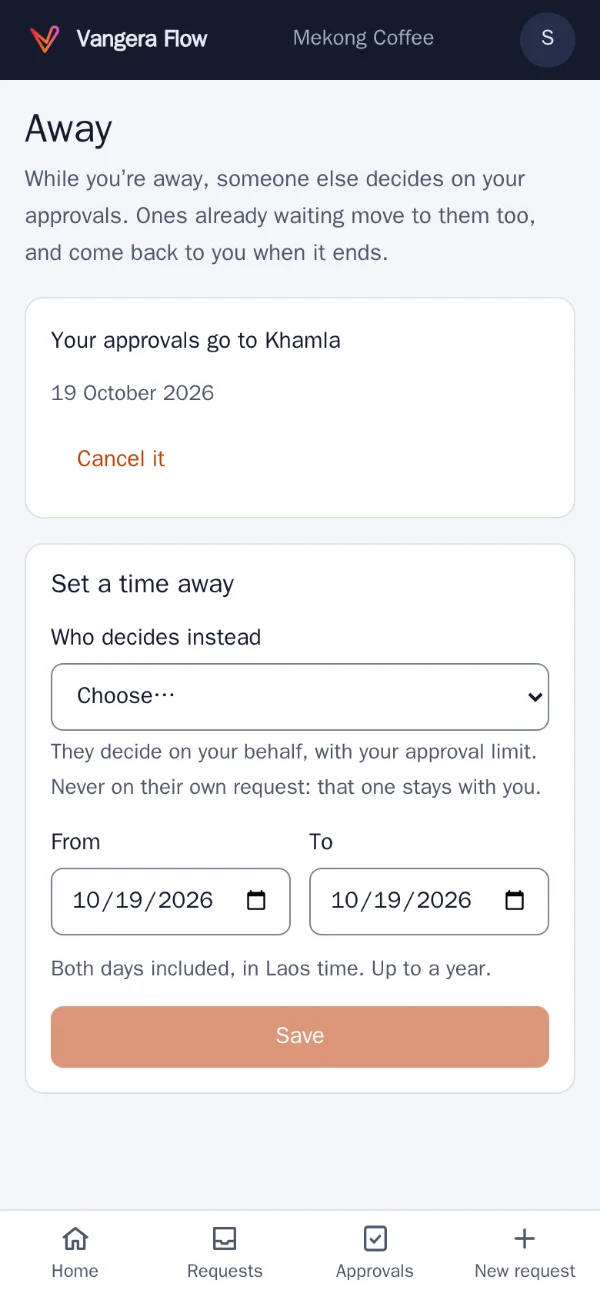
Away: who decides for you while you're away.
Screenshots of the app with test data: the people and places in them are made up.
Who it's for
Organizations where requests need a yes
Vangera Flow is for organizations where purchases, leave, expenses and payments need someone’s OK, often more than one: a manager, then finance, then the owner above a certain amount. It replaces the paper form that waits on a desk, and the chat message that gets lost.
It works with LohnCC: people sign in with their LohnCC account, and Flow reads who is in the organization, their roles, departments and teams, and who reports to whom. Approvers get a card in LohnCC and confirm large approvals on their phone there. See LohnCC.
Vangera Flow runs at flow.vangera.systems, and beside an organization’s own LohnCC server.
How to start
Getting started
Ask to join
Send the form below. Your organization needs to be on LohnCC first; if it isn't yet, say so and we start there.
Add it in LohnCC
Your organization's owner or an admin opens Apps on the organization's page and asks for Vangera Flow; I approve each organization.
Set up your forms
Use the ready-made forms or make your own, with their routes, approval groups and limits, on a computer.
People sign in
Everyone signs in with their LohnCC account and two-step sign-in; Vangera Flow has no passwords of its own.
Ask to join the beta
Vangera Flow is free during the beta. Tell me about your organization and how many people would use it; I'll reply by email. Or write to info@vangera.systems.