Product · Vangera HR
Time and attendance, on your people's phones
Vangera HR lets your people clock in and out on their phone at your sites, see their roster and hours, and ask for leave, shift swaps and gate passes. Team leads, managers and HR approve, plan and check it all on a computer.
Free during the beta · in testing: each organization is approved
What it does
Everyday attendance, without a time clock on the wall
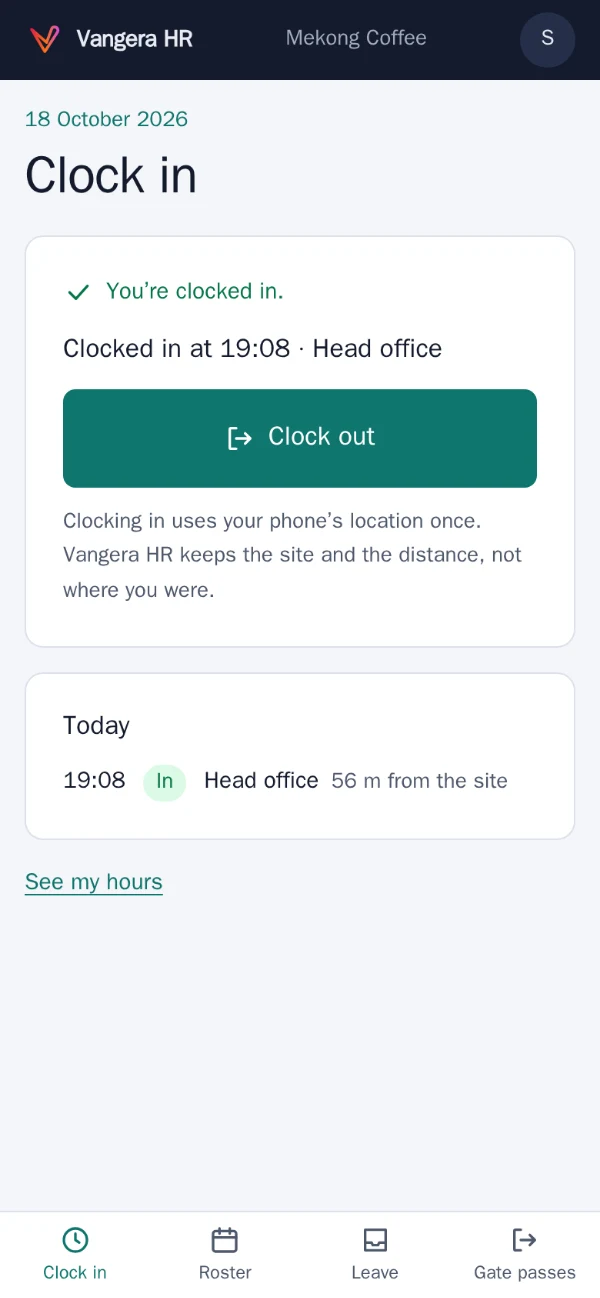
Clocking in at your sites
People clock in and out on their phone inside a site's radius, or with the site's printed QR code. HR keeps the site and the distance, not where the phone was.
Hours and corrections
Each person sees their hours by day, with late, left early, absent and on leave marked. A missed clock-in is asked for and approved by their manager or team lead.
Rosters and shift swaps
Plan the week's shifts on a computer and publish them to people's phones. Colleagues swap shifts with each other, and a team lead approves.
Leave
Balances by year, leave types with allowances and carry-over, half days, and public holidays that don't count. Managers decide, and HR too for the leave types you choose.
Gate passes
Ask to leave the workplace for a while; once approved, the pass shows a QR code that the guard checks at the gate. Time out shows in attendance.
New hires
HR records a new hire and makes their one-time LohnCC invitation, with their job title, team and manager; they join once HR approves them.
See it
Real screens, on a phone
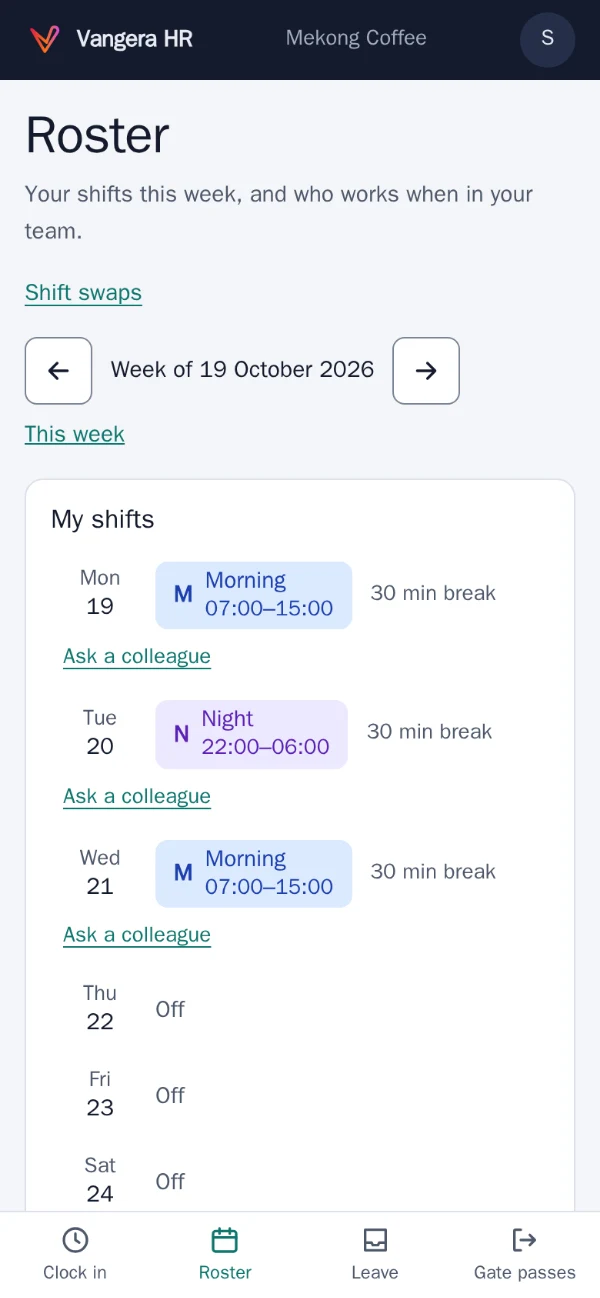
Roster: your shifts this week, and who works when in your team. 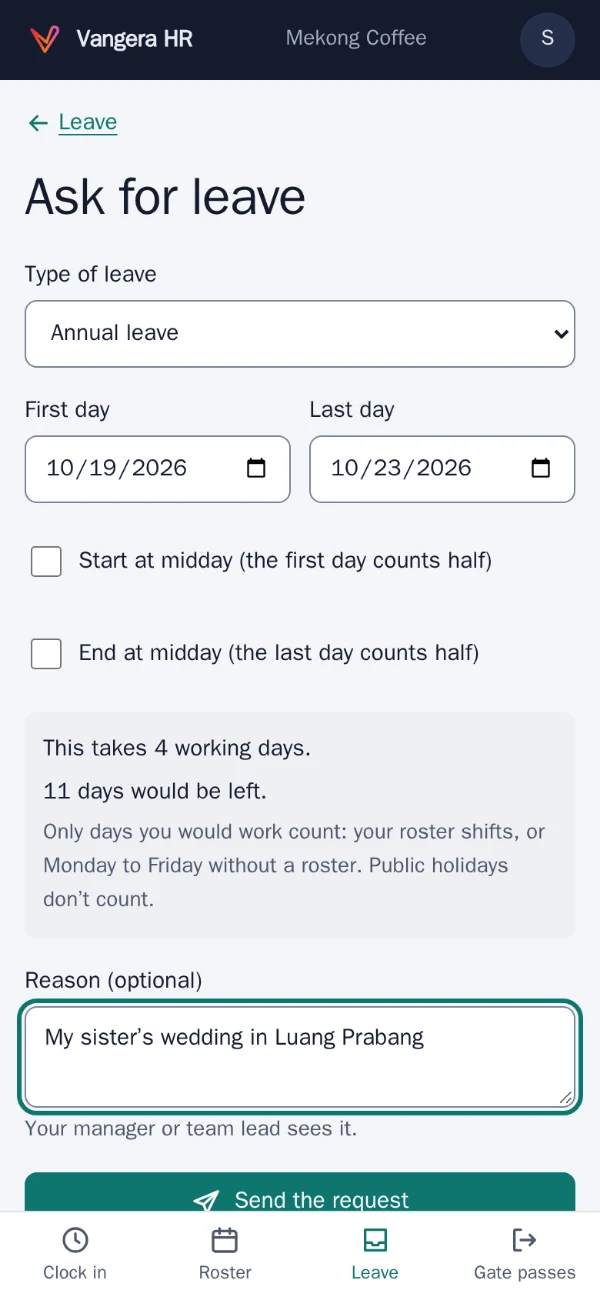
Ask for leave: it counts the working days and shows what would be left. 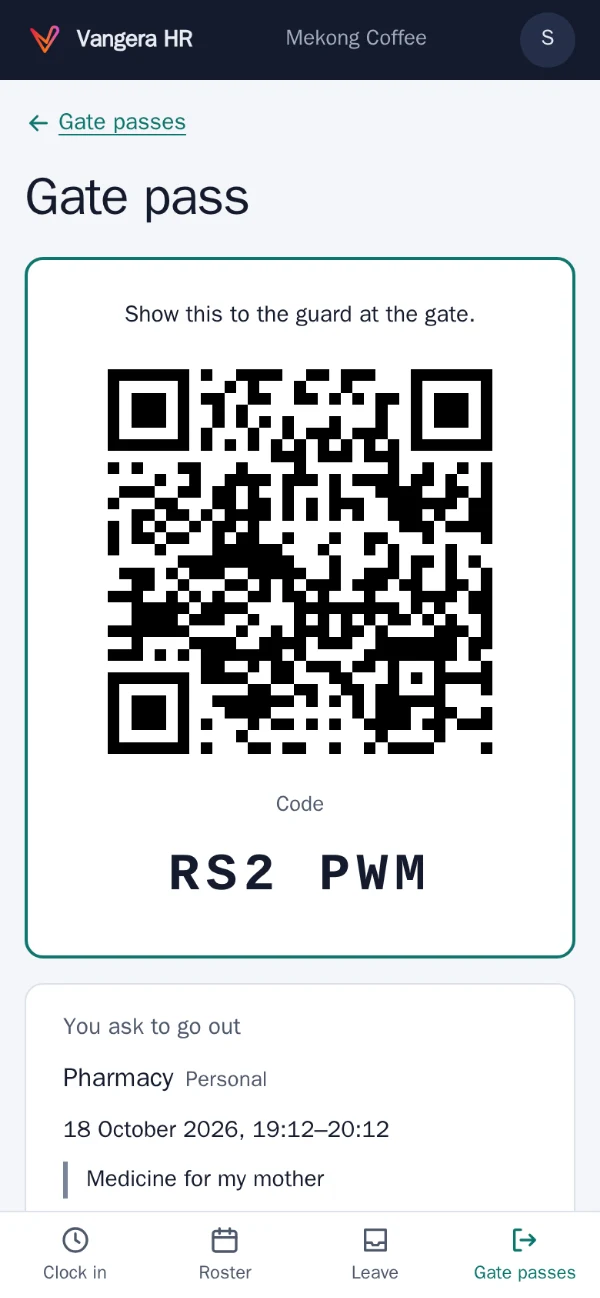
An approved gate pass, ready to show at the gate. 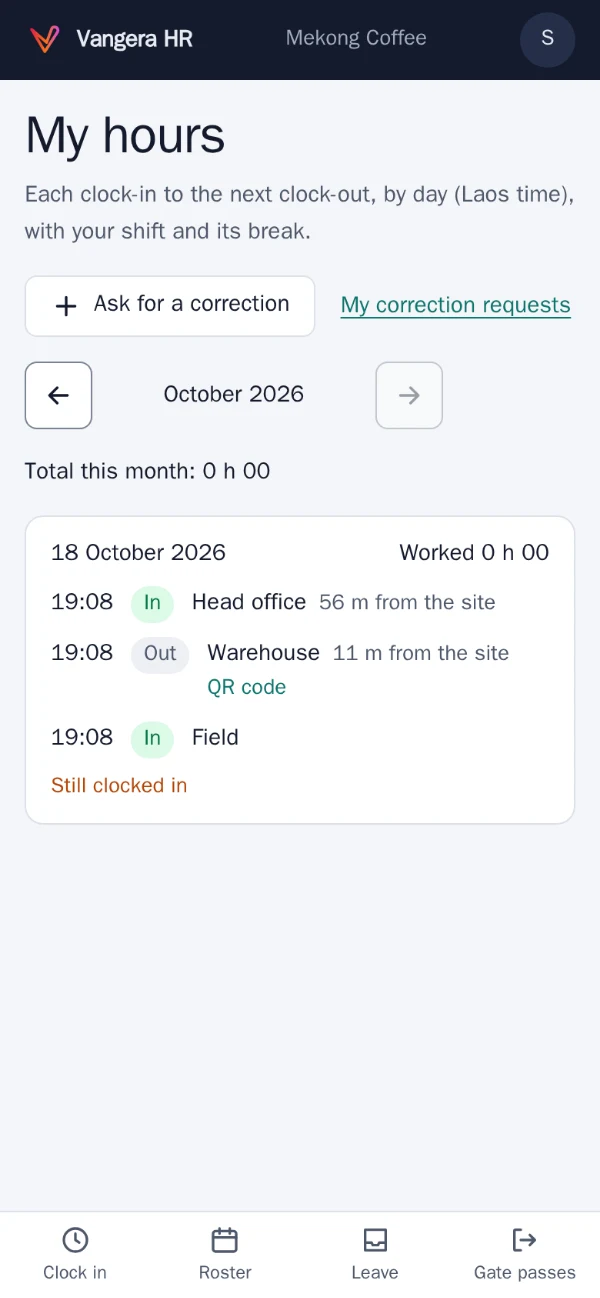
My hours: each day, and the total for the month.
Screenshots of the app with test data: the people and places in them are made up.
Who it's for
Organizations with people on shifts or on site
Vangera HR is for organizations whose people work on shifts or on site: shops, cafés and restaurants, hotels, clinics, workshops and offices with a gate. Everyone uses the light pages on their phone; team leads, managers and HR officers use the full app on a computer.
It works with LohnCC: people sign in with their LohnCC account, the departments and teams and who reports to whom come from your organization in LohnCC, and every notice (a shift published, a request approved) arrives in LohnCC. See LohnCC.
Vangera HR runs at hr.vangera.systems, and beside an organization’s own LohnCC server. It is in testing: organizations ask for it, and Vangera Systems approves each one.
How to start
Getting started
Ask to join
Send the form below. Your organization needs to be on LohnCC first; if it isn't yet, say so and we start there.
Add it in LohnCC
Your organization's owner or an admin opens Apps on the organization's page and asks for Vangera HR. I approve each organization during the testing.
Set up your sites
Add your sites and their radius, print a site's QR code if you want one, and name your HR officers and guards.
People sign in
Everyone signs in with their LohnCC account; Vangera HR has no passwords of its own. Admins, HR officers, team leads and guards use two-step sign-in.
Ask to join the beta
Vangera HR is free during the beta. Tell me about your organization and how many people would use it; I'll reply by email. Or write to info@vangera.systems.