Product · Ngan (ງານ)
Every guest, every entrance and every activity of an event, with one QR code
Ngan (ງານ, "event") is for whoever organizes an event: a ministry, a company, an association, a school, or a family with a wedding. Each guest gets a G-Code to accept the invitation and to register at the entrance; staff scan it with their own phones, and the lists and the report fill themselves.
Ask for a demo · in testing: Vangera checks each organizer
What it does
From the invitation to the report
Invitations and the guest's page
Add guests one by one or from a spreadsheet, in groups. Each guest's G-Code opens their own page: accept or decline, send a representative, choose a meal or a shuttle, and keep the code on the phone. Cards and entrance signs print as PDF, also on your own artwork.
Registration at the entrance
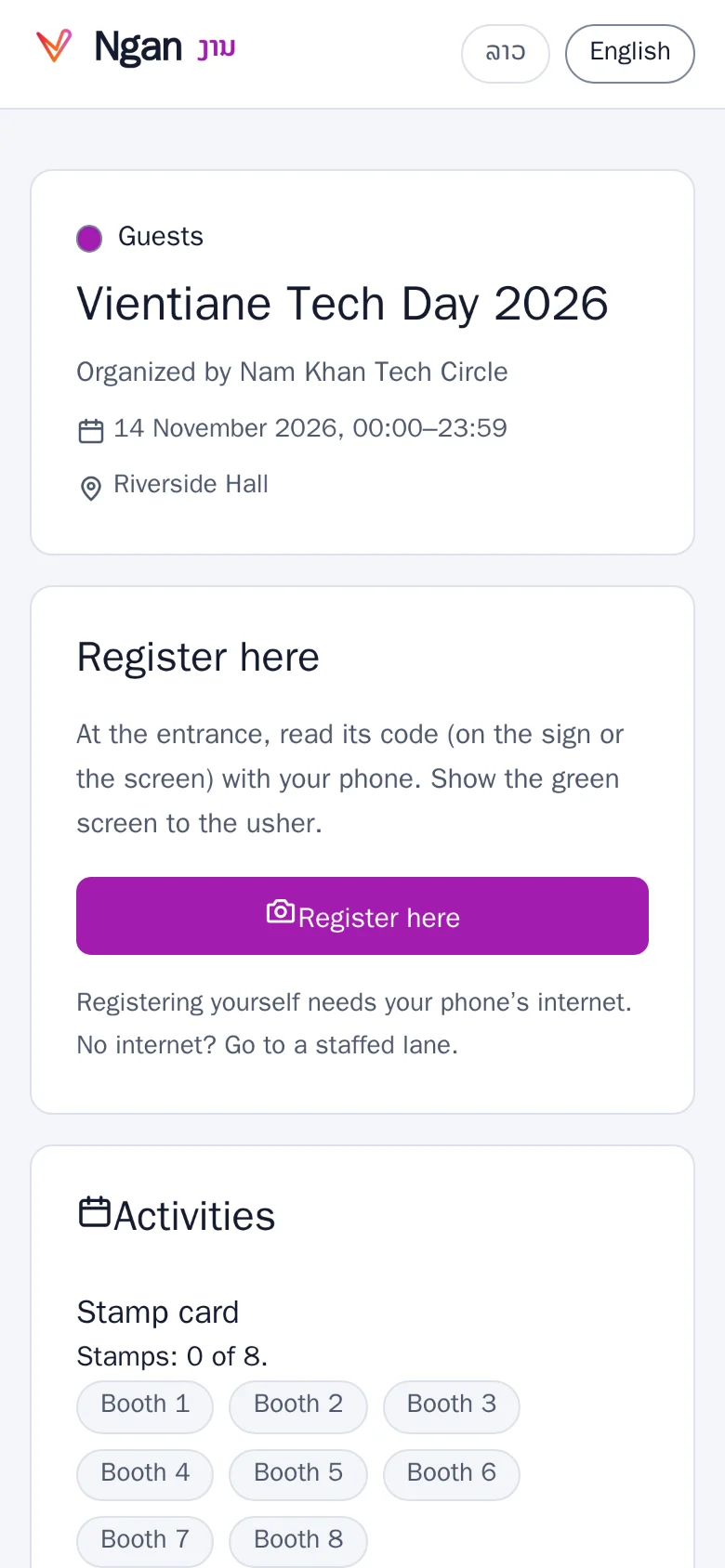
Staff sign in with their S-Code and scan guests' G-Codes at each entrance (green, amber or red), even without internet. Guests can also register themselves by reading the entrance's code, or at a tablet kiosk that prints name badges.
Walk-ins
Open sign-up from the event's E-Code poster or link, with approval, a limit and a waiting list.
Activities, booths and meals
Sessions, booths, meals and gift desks each have an A-Code: guests join from their page, each one gets one meal or gift, and a stamp card counts booth visits.
On the day
The Live tab, the Not yet arrived list with calls and notes, hosts for VIP guests, seating with protocol ranks, polls and questions on the big screen, a lucky draw with a fairness record, and a safety lead with headcounts at assembly points.
Exhibitors and sponsors
Booths and their staff, sponsor logos on guests' pages and badges, and leads that booth staff collect only with the guest's agreement.
After the event
The summary report as a page, PDF and Excel, the attendance register and the sign-in sheet, feedback with certificates, the budget in kip, and removing guests' personal details while the counts stay.
Ngan accounts
Organizers and staff sign in with an email code, a passkey, or Google, Microsoft, LinkedIn, Facebook or LohnCC. Owners and admins always use a passkey or LohnCC with two-step sign-in. Guests never need an account.
See it
Real screens, on a phone
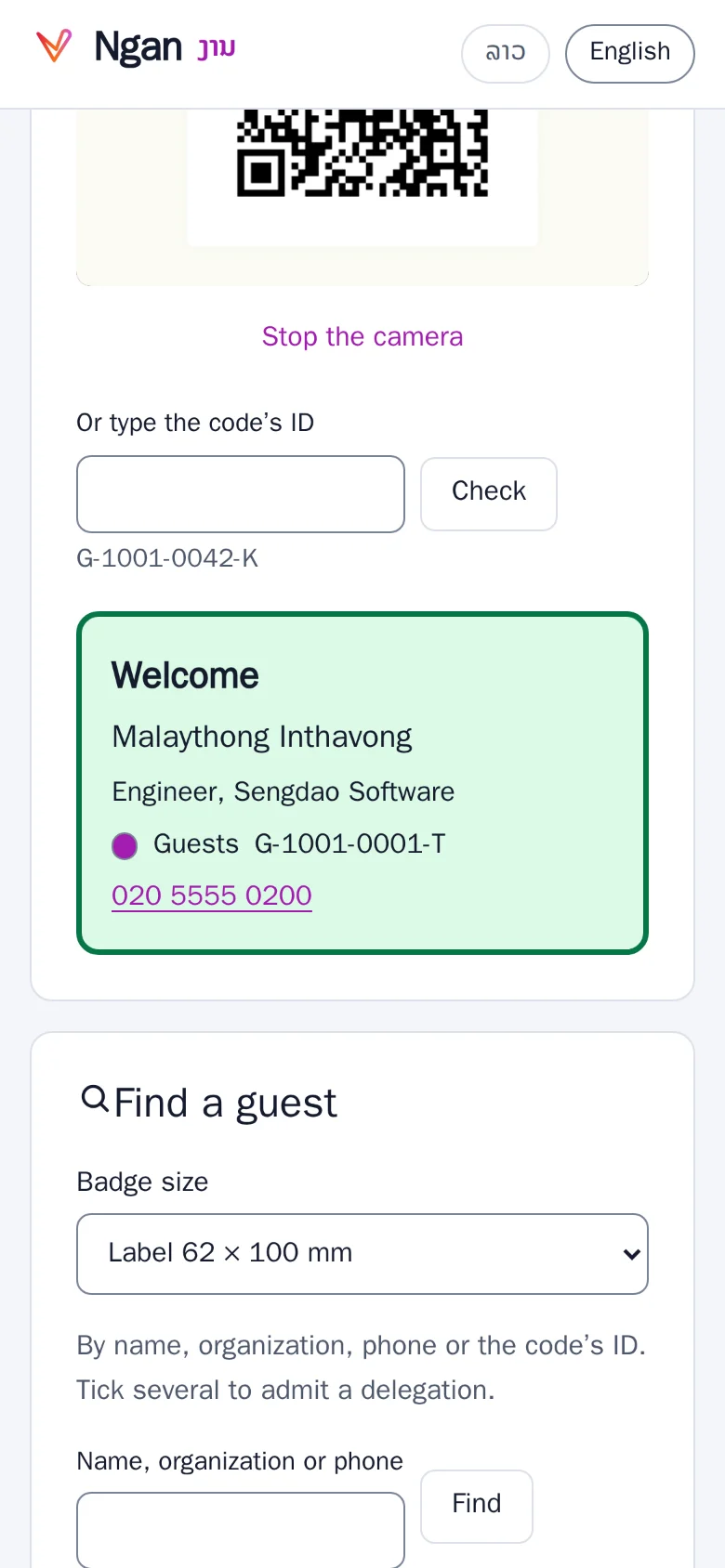
At the door: scan the G-Code, and the green card says who it is. 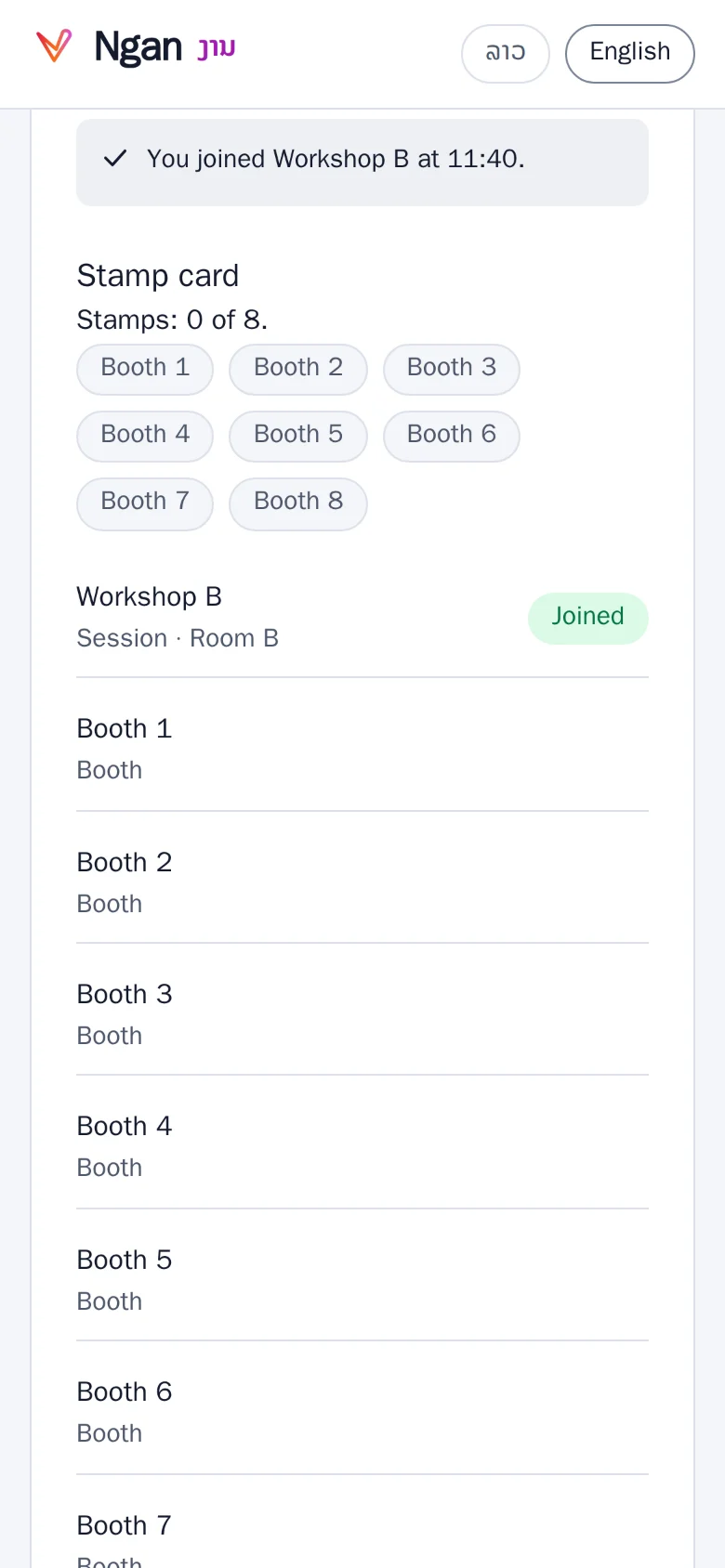
Guests join a session by reading its A-Code from their own page. 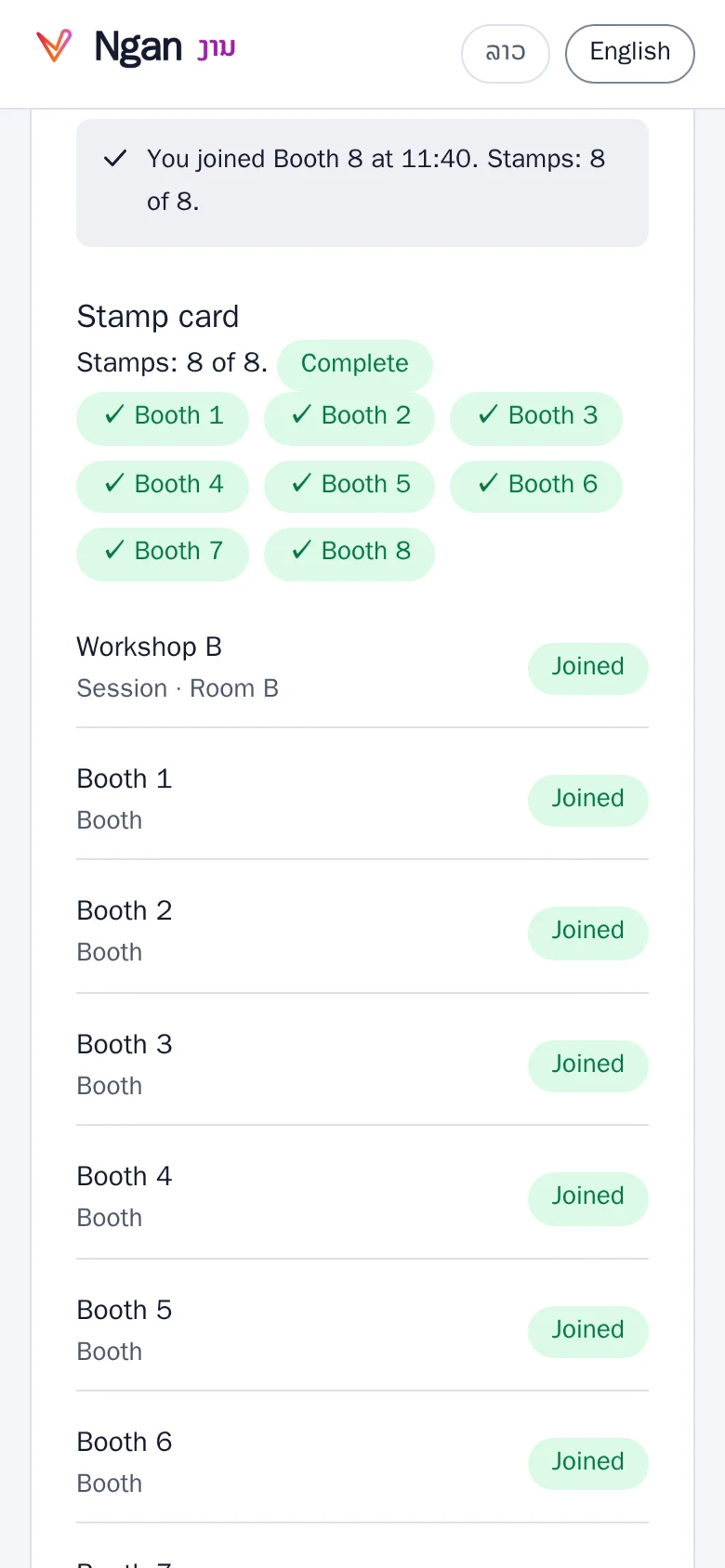
The stamp card fills as the guest visits each booth.
Screenshots of the app with test data: the people and places in them are made up.
On a computer
The office's screens
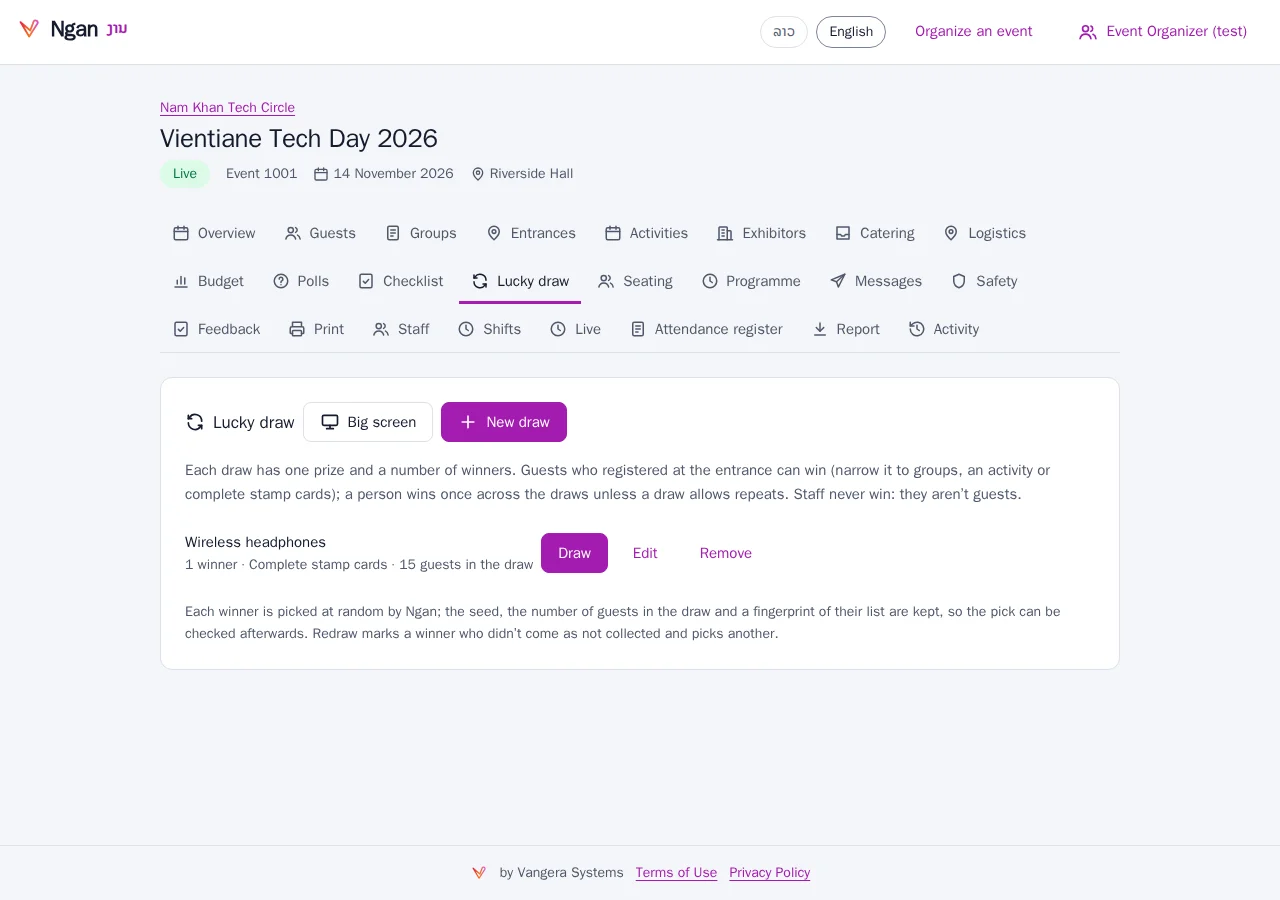
One event: guests, entrances, activities, seating, draws and the report in its tabs. 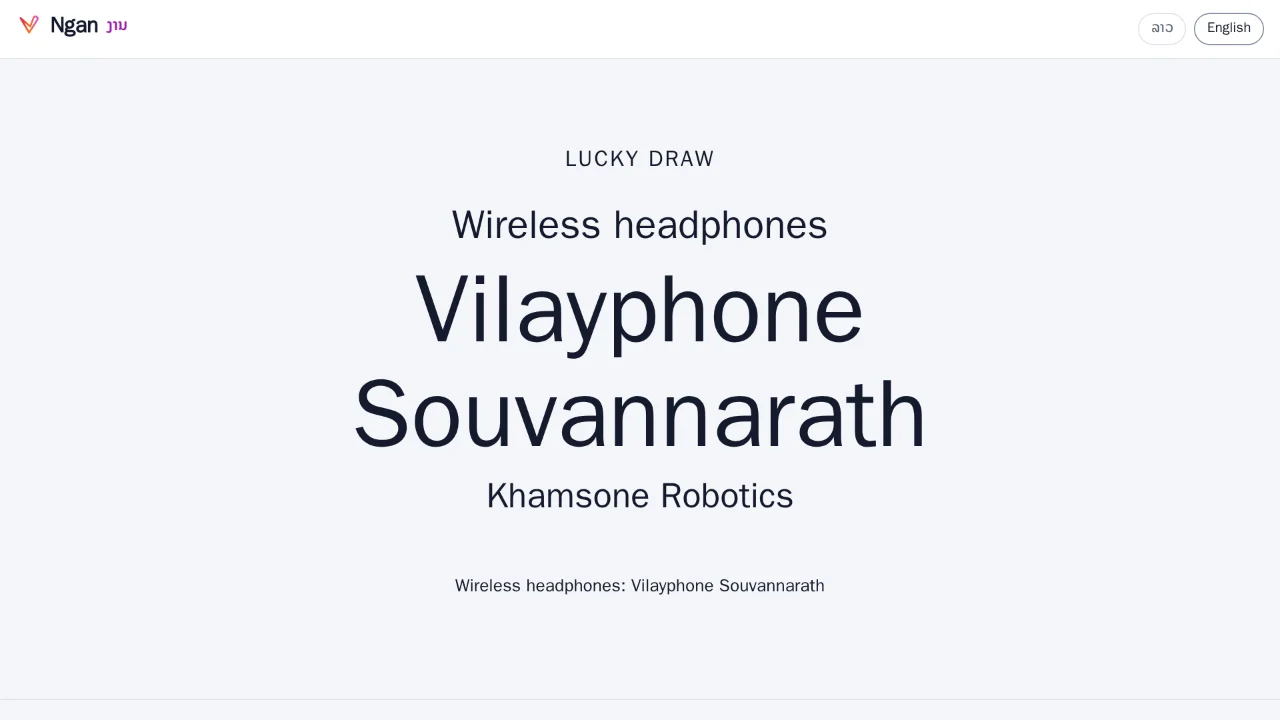
The lucky draw on the big screen; the pick can be checked afterwards.
Screenshots of the app with test data: the people and places in them are made up.
Who it's for
Organizers of events of every size
Ngan is for anyone who invites guests and wants to know who came: government meetings and ceremonies, conferences and exhibitions, company events, school and association events, and weddings or family ceremonies.
Ngan is at ngan.viakdee.com. It works on its own with Ngan accounts, and an organizer can connect its LohnCC organization; people can then sign in with LohnCC. See LohnCC.
Ngan is in testing: organizers ask to join, and Vangera checks each one.
How to start
Getting started
Ask for a demo
Send the form below and tell me about your event. I show you Ngan with test data.
Make an account and an organizer
Open ngan.viakdee.com, make your Ngan account (or sign in with LohnCC) and make an organizer: a person or an organization.
Vangera checks the organizer
We check each new organizer and may call the contact person. An organizer connected to a LohnCC organization is checked through LohnCC.
Make the event and invite
Add the guests, print the cards or send the links, and name the staff who scan at the door.
Ask to join the beta
Ngan is free during the beta. Tell me about your organization and how many people would use it; I'll reply by email. Or write to info@vangera.systems.