Product · Vangera Post
Every social channel in one calendar, checked before it goes out
Vangera Post is for organizations that run several pages and channels: a shop, a hotel, a brand with many branches. Your team writes once, adjusts each network's version, sends it for approval and schedules it; Vangera Post publishes it on time and shows the link.
Ask for a demo and a quote · in testing: each organization is approved
What it does
From an idea to a published post
Every channel in one place
Facebook pages, Instagram, LinkedIn (profiles and company pages), YouTube, TikTok and WhatsApp broadcasts, each connected with the network's own sign-in through your organization's own developer apps.
Write once, fit each network
One text and media for all channels, with each network's own version when you need it. Vangera Post shows what each network needs (length, pictures, video) before anything is scheduled.
Approval before posting
Channels that need approval send the post to their approvers as a card in LohnCC; they approve or send it back with a note. Every step is kept in the history.
The calendar and posting times
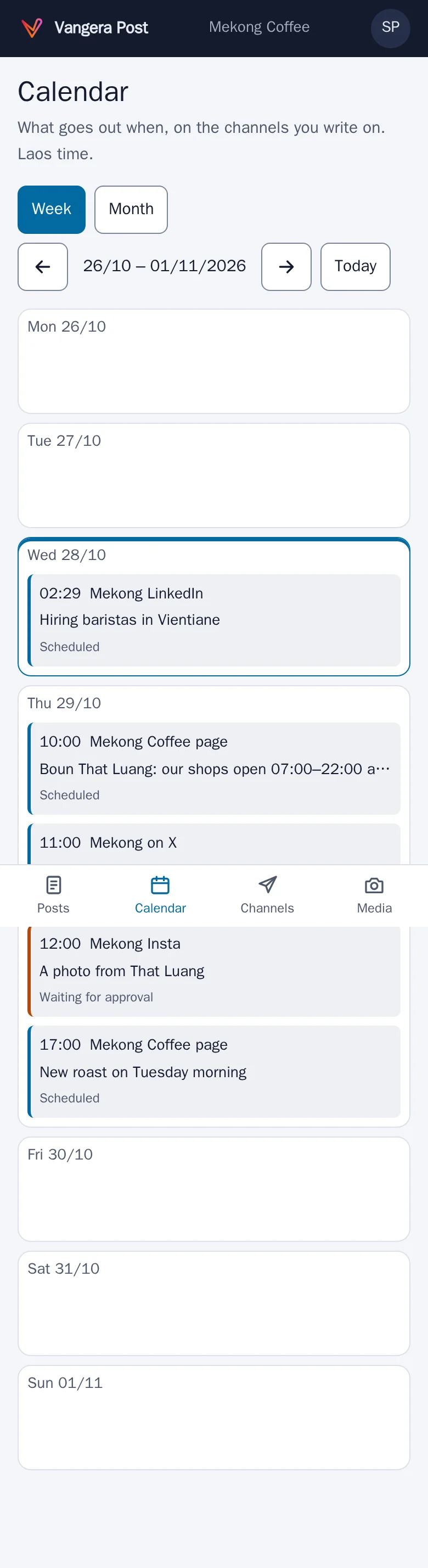
The week and the month at a glance, in Laos time. Each channel can have its usual posting times; channel sets ("All Lao pages") pick many channels in one tap.
Media
Your organization's pictures and videos in one library; pictures are saved again without hidden data such as where they were taken.
WhatsApp broadcasts
A list of people who agreed to receive your messages, joined by a link or by sending JOIN, approved message templates, and STOP that takes people off at once.
AI help with your own AI service
Write from an idea, improve, translate Lao ↔ English, hashtags, picture descriptions and new pictures, using any OpenAI-compatible service with your organization's own key and a monthly picture limit. The AI only suggests; people check and post.
Library, series and video prompts
Describe your characters, brands, products and places once; AI keeps them the same, plans a series and drafts each episode with its date, and writes scene-by-scene prompts for video tools.
See it
Real screens, on a phone
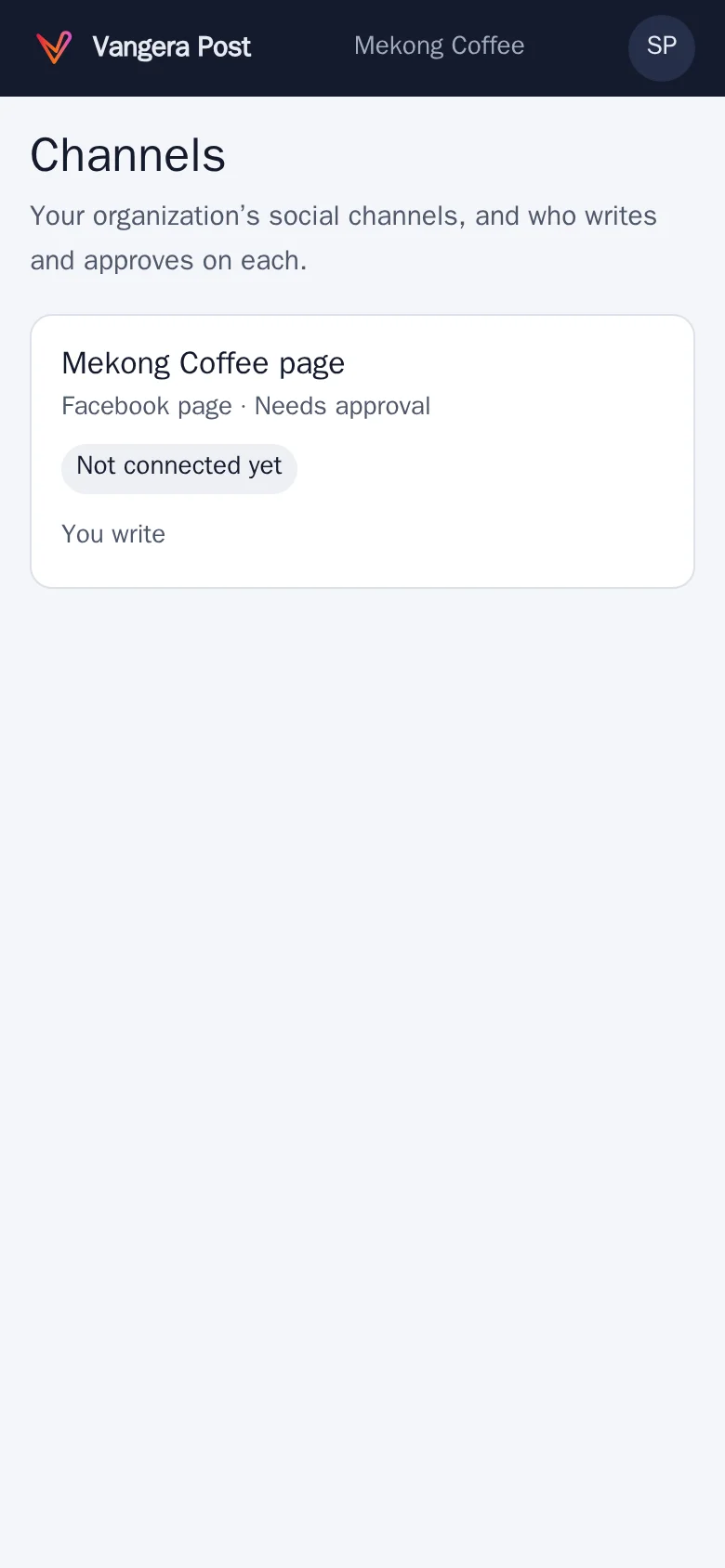
The channels you write or approve on, each with its network and status. 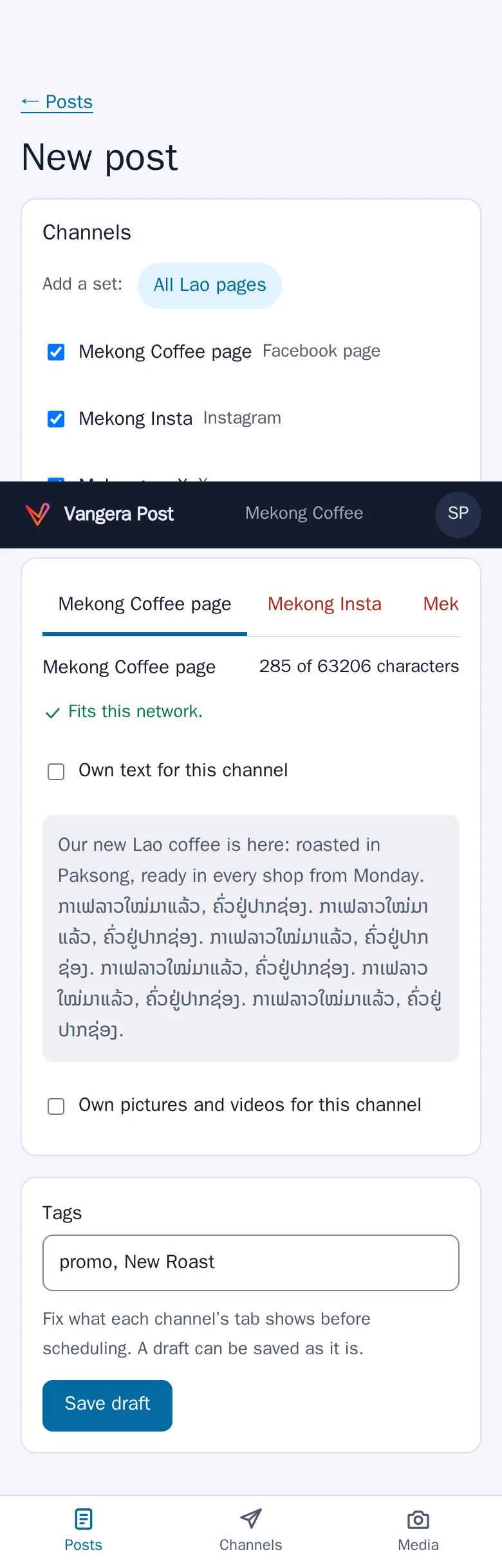
Each channel's tab says what doesn't fit its network yet, before you schedule. 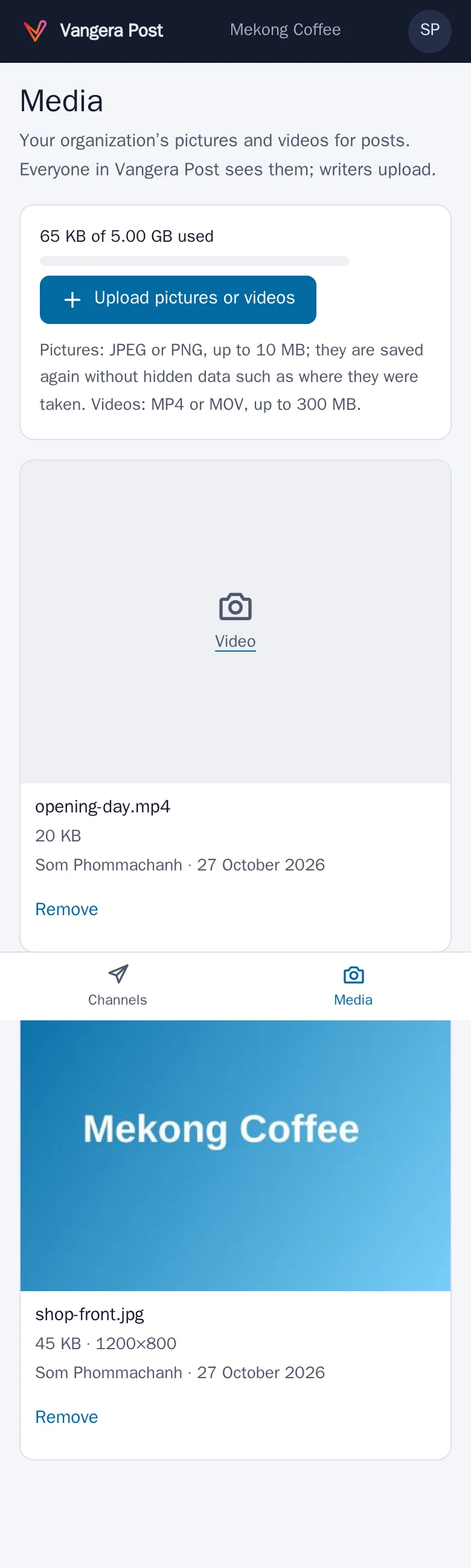
Media: your pictures and videos, saved without hidden data. 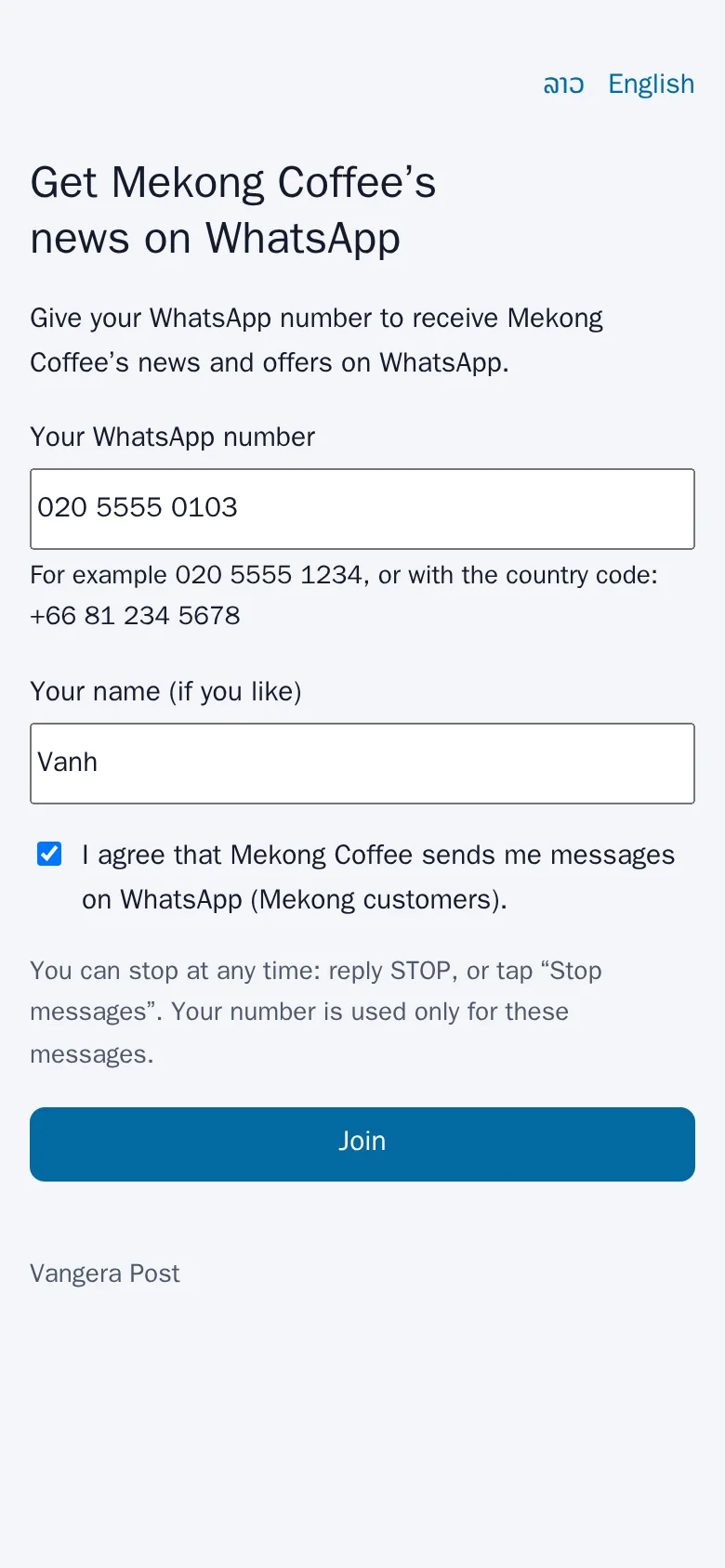
People join your WhatsApp list themselves, and leave with STOP.
Screenshots of the app with test data: the people and places in them are made up.
On a computer
The office's screens
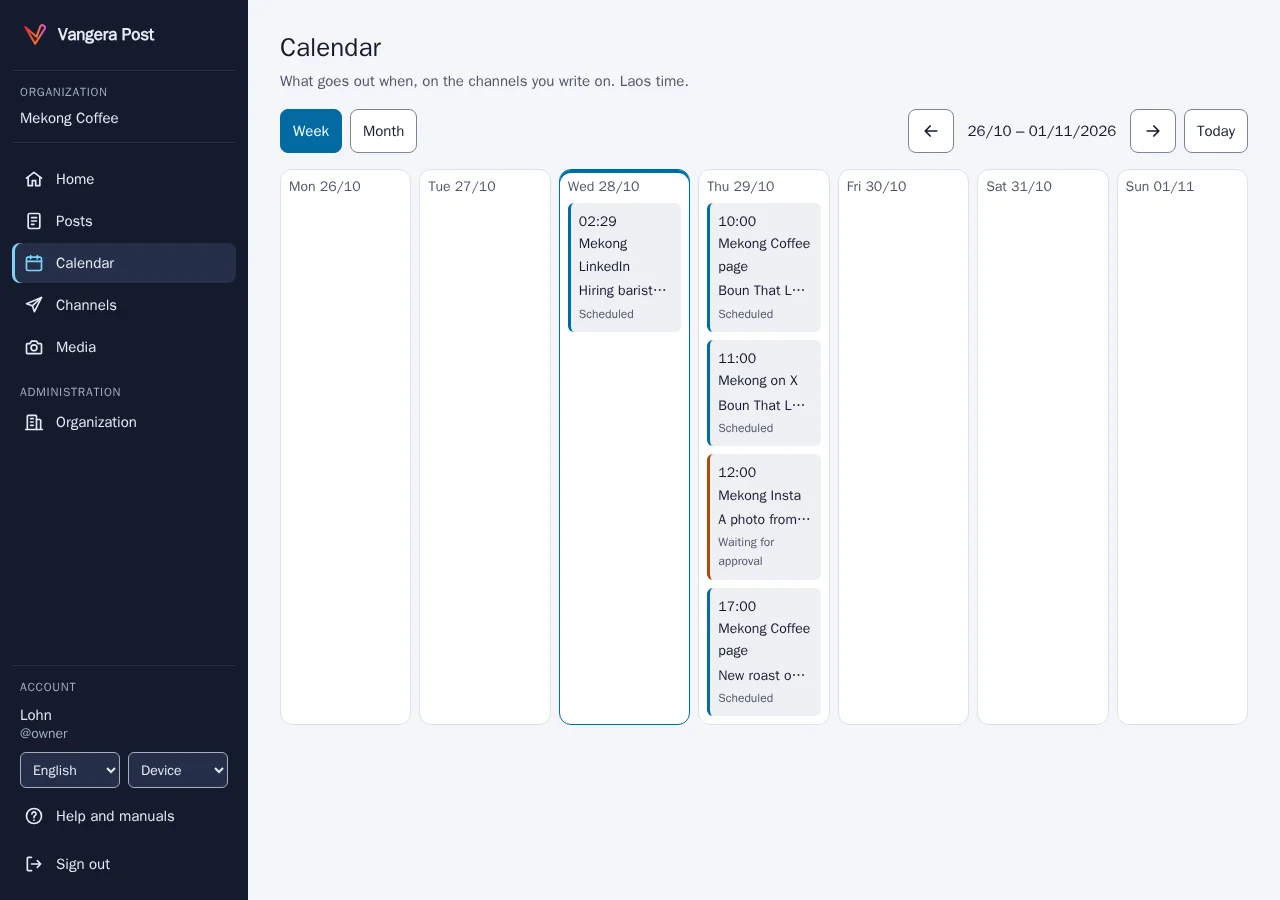
The calendar: what goes out when, on every channel. 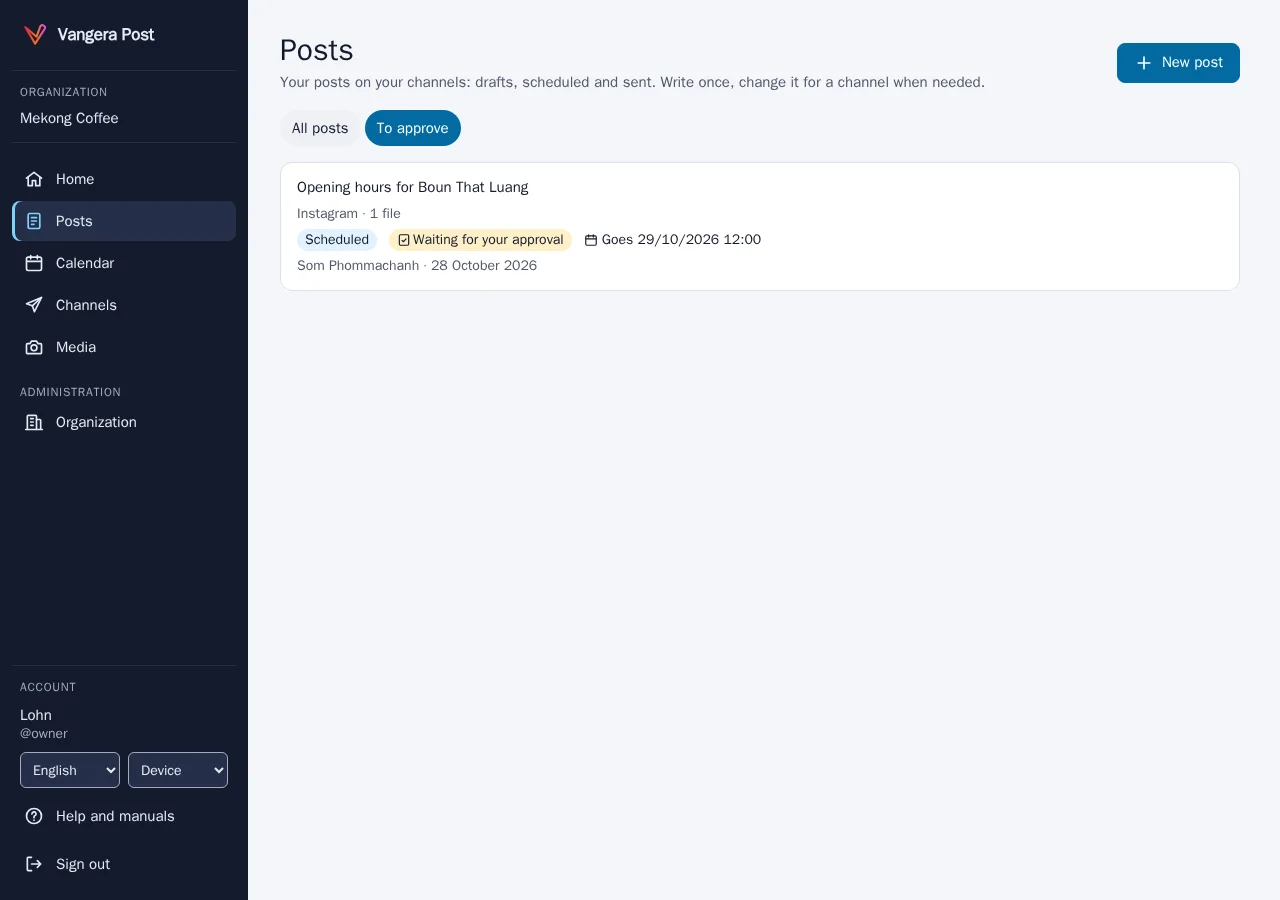
Approve, or send back with a note. 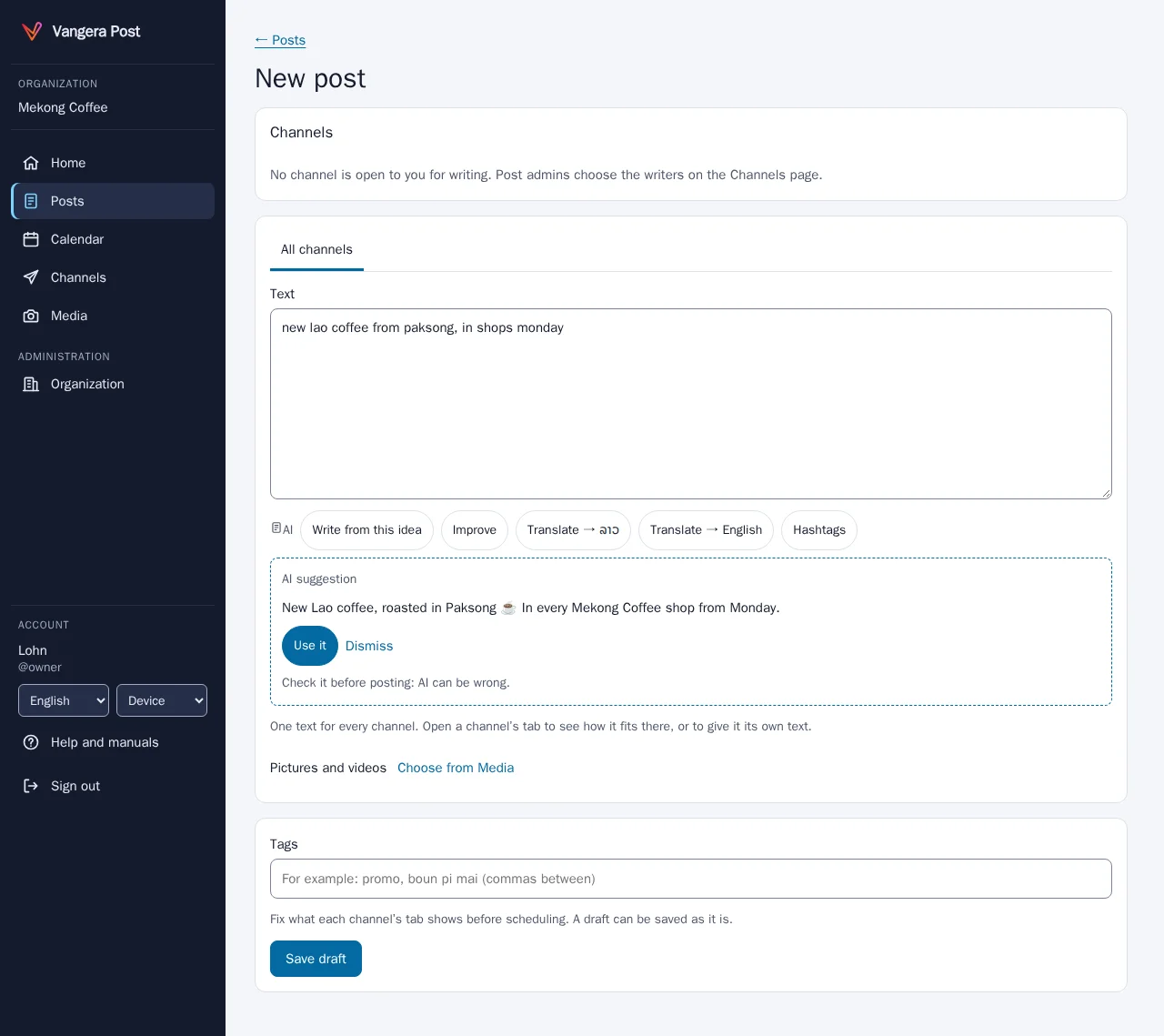
AI help: write, improve, translate and hashtags; you choose what to use. 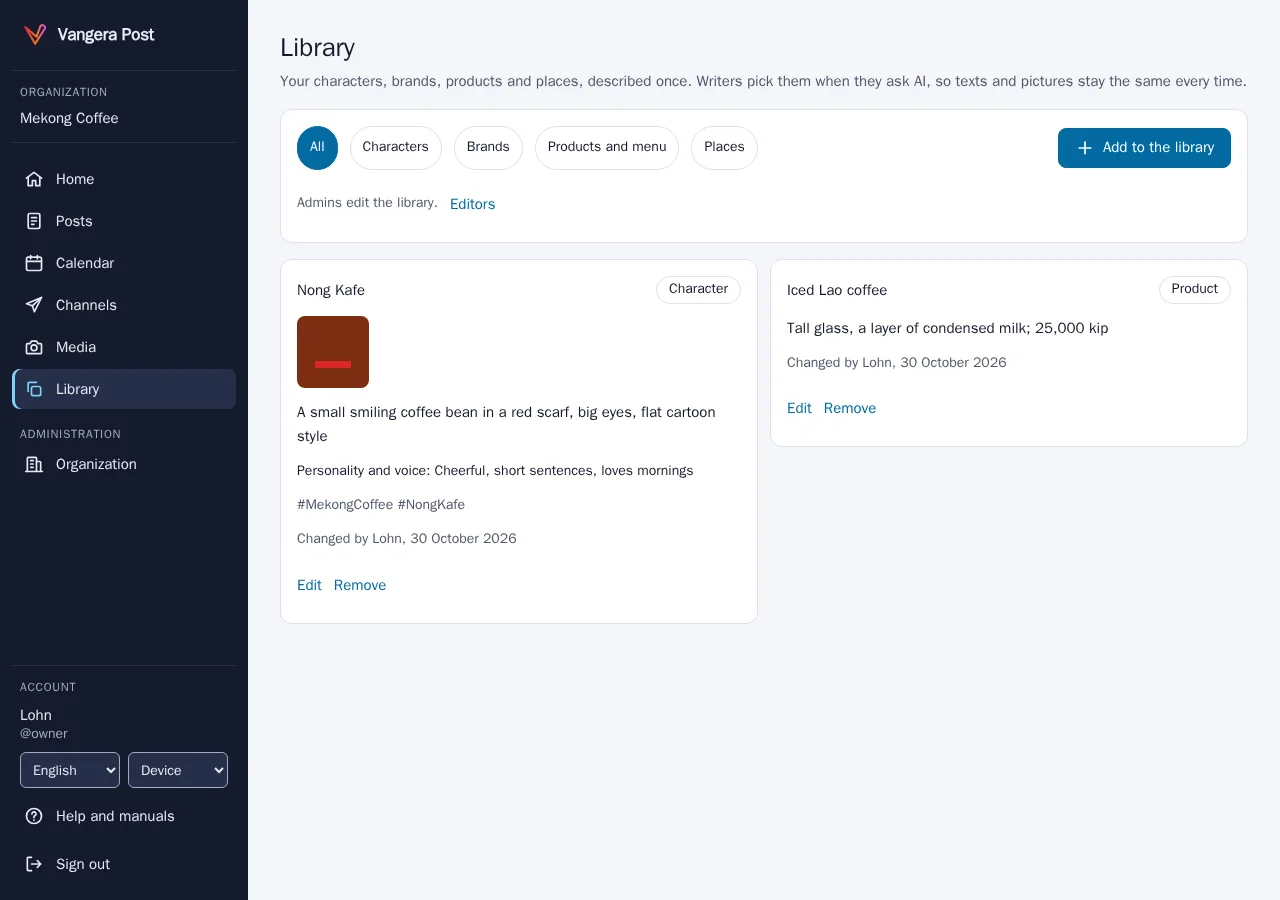
The library: characters, brands, products and places, described once. 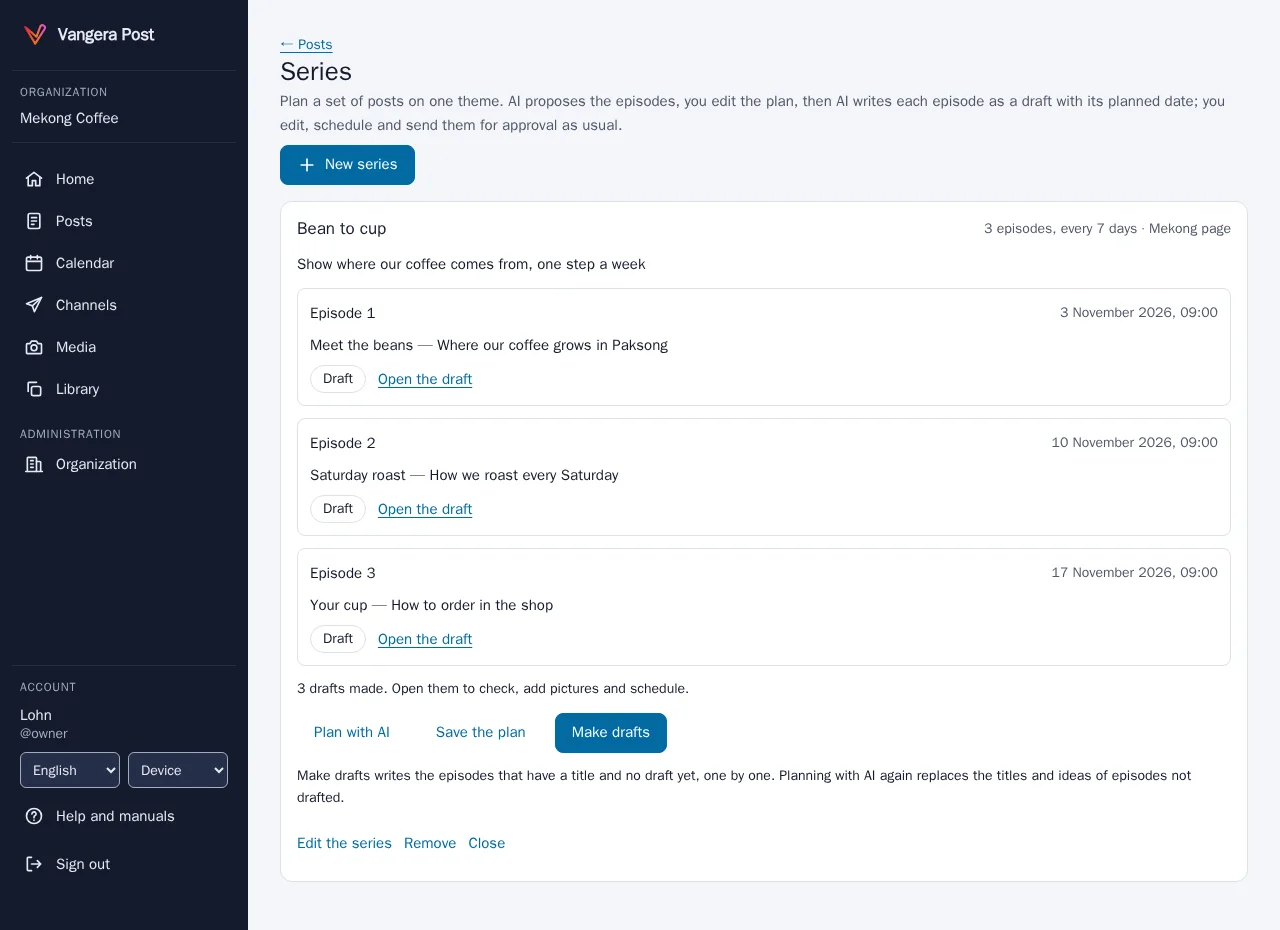
A series planned with AI, each episode drafted with its date. 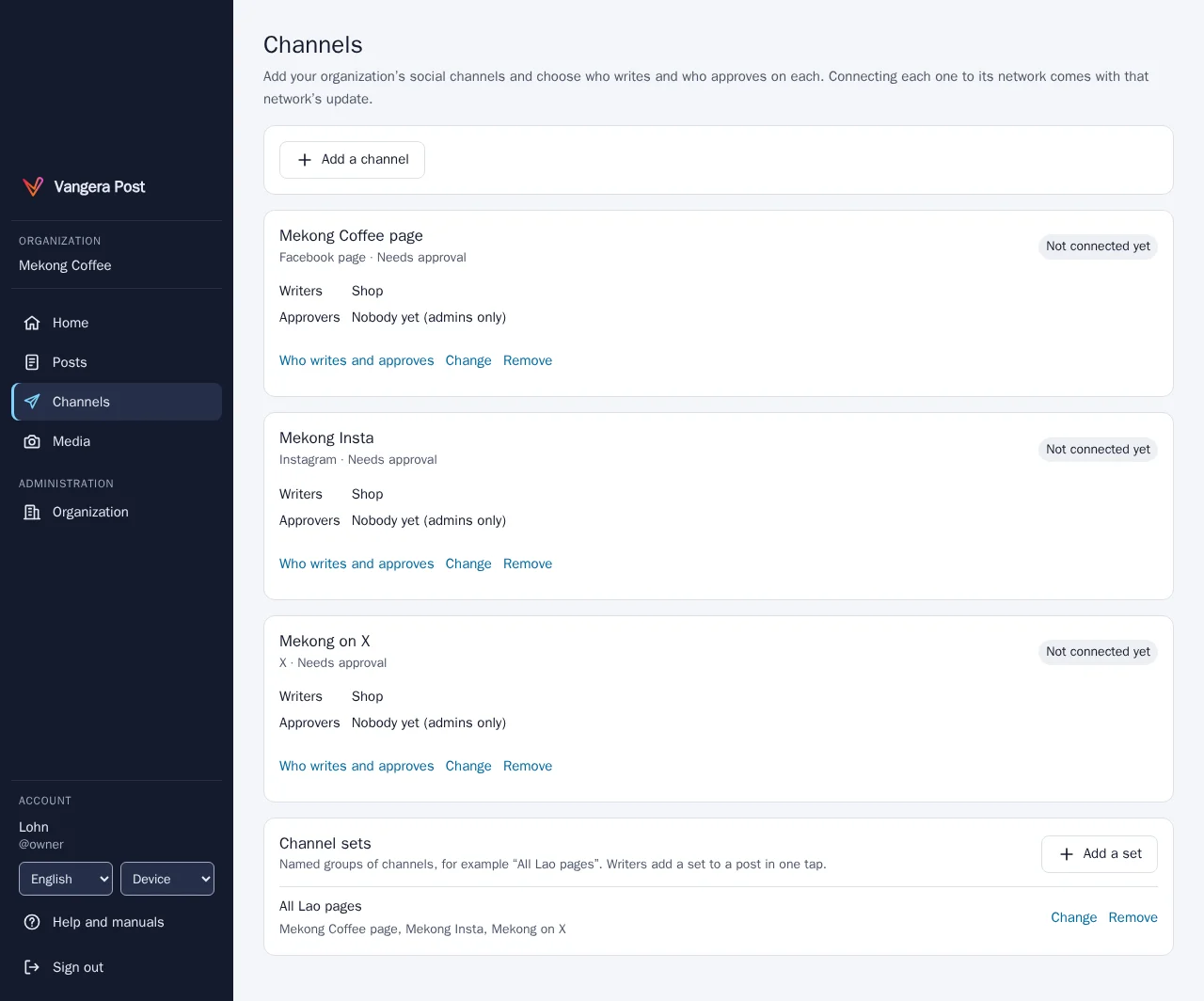
Channel sets: pick all of a brand's pages in one tap.
Screenshots of the app with test data: the people and places in them are made up.
Who it's for
Organizations with several pages and channels
Vangera Post is for organizations that publish on several social networks and want one place to plan, check and send their posts: a shop or a restaurant with its pages, a hotel, a group with many brands and branches.
It works with LohnCC: people sign in with their LohnCC account, writers and approvers are LohnCC members and teams, and approval cards and notices arrive in LohnCC. See LohnCC.
Each organization connects its channels through its own developer apps at the networks, and uses its own AI service and key for AI help, so its accounts, tokens and AI costs are its own. X (Twitter) isn’t supported.
Vangera Post is in testing: organizations ask for it, and Vangera Systems approves each one.
How to start
Getting started
Ask to join
Send the form below. Your organization needs to be on LohnCC first; if it isn't yet, say so and we start there.
Add it in LohnCC
Your organization's owner or an admin opens Apps on the organization's page and asks for Vangera Post. I approve each organization during the testing.
Set your network apps and channels
Admins set your organization's own developer app for each network (Meta, LinkedIn, Google, TikTok) and connect the channels; then name who writes and who approves on each one.
Write and schedule
Everyone signs in with their LohnCC account; Vangera Post has no passwords of its own. Admins use two-step sign-in.
Ask to join the beta
Vangera Post is free during the beta. Tell me about your organization and how many people would use it; I'll reply by email. Or write to info@vangera.systems.